Business IT diagnostic guide
Scanner Leaves Vertical Lines Only Through the Document Feeder
Published by MASHFiX Computer Repair and Data Recovery ·
Lines on feeder scans but clean flatbed copies? Compare the scanning paths before buying toner or replacing the scanner.
Scan one ordinary, nonconfidential page through the automatic document feeder, then place that same page on the flatbed. Compare the saved images on screen. This establishes whether the mark follows the feeder path before you change print supplies.
What this symptom can mean
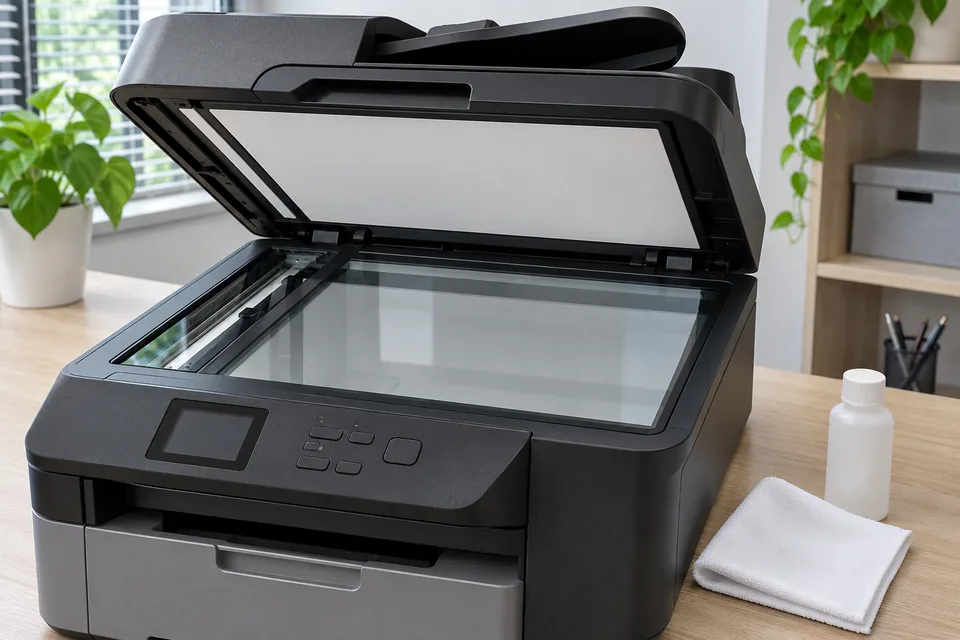
An automatic document feeder moves paper past a narrow scanning area. A small mark on that area can become a long line in the resulting image. The flatbed uses a different scanning path, so it may remain clean. HP identifies scanner glass contamination as one possible cause; a comparison narrows the investigation but does not prove that cleaning will resolve every line.
The saved PDF has a line, and the printed copy does too
Look first at image capture rather than assuming a toner problem. If the line is already in the PDF, printing merely reproduces it.
The PDF looks clean, but paper output is marked
That points to a different path. Keep the clean scan and marked print as separate examples so the print engine can be evaluated.
Safe checks before service
- Record the printer or scanner model and whether one-sided and two-sided feeder scans show the same mark.
- Use a plain test page rather than a contract, medical form or customer invoice when documenting the problem.
- Find the model’s cleaning instructions before lifting any feeder cover. The location and accessible parts vary.
- If the manual permits cleaning, switch off and disconnect power first. Use the specified soft, lint-free materials, apply liquid to the cloth rather than spraying into the device, and allow surfaces to dry.
Avoid abrasive cleaners, sharp tools, forced hinges and disassembly beyond the manufacturer’s routine maintenance instructions. Stop if the feeder jams, makes a new noise or exposes damaged glass.
What professional diagnosis should separate
- 01
Compare repeatable samples
Mashfix can compare feeder and flatbed captures, scan versus copy behavior, and which side of a duplex scan is affected.
- 02
Inspect the accessible scan path
The glass, backing surfaces and document condition can be checked according to the model’s maintenance guidance.
- 03
Identify the next repair decision
Persistent lines may require further investigation of optics, feeder alignment or scanner hardware. A remote description cannot identify the failed component.
What to include when booking Dallas or Fort Worth office support
Send the model, a description of the comparison and whether the problem affects every page. A cropped image of a blank test page is usually more useful than a full sensitive document. State whether the scanner is standalone or part of a multifunction printer.
Ask about onsite troubleshooting when the issue involves a shared office scanner and its usual computers. Describe any transport restrictions before arranging a visit. The symptom alone does not establish repair cost, parts availability or whether bench service is necessary.
Keep original paperwork and existing scans until replacement files have been checked for all pages, readable text and correct orientation. Do not overwrite the only legible copy during testing.
Common questions
Answers before you approve a repair
Will replacing toner remove a line from a scanned PDF?
Toner does not create the original digital scan. First compare the PDF on screen with the paper output; a scan-path problem needs a different investigation.
Can a clean flatbed scan rule out a broken scanner?
No. It helps isolate the feeder scanning path, but contamination, damage and other hardware problems still need to be distinguished.
Need help in DFW? Compare the Dallas shop and Fort Worth shop at Suite 100, or review scheduled home and office visits. We confirm the service path, scope and timing before booking.
Product guidance and references
These technical resources explain the referenced behavior. Your device and situation still need their own assessment.