Data recovery diagnostic guide
Broken USB Flash Drive Connector: Protect the Files
Published by MASHFiX Computer Repair and Data Recovery ·
Bent or snapped USB flash drive? Stop reconnecting it, retain the pieces and separate file recovery from making the device reusable.
Disconnect the flash drive and keep every piece. If the plug is bent, loose or separated from the board, do not straighten it and try another port when the files matter.
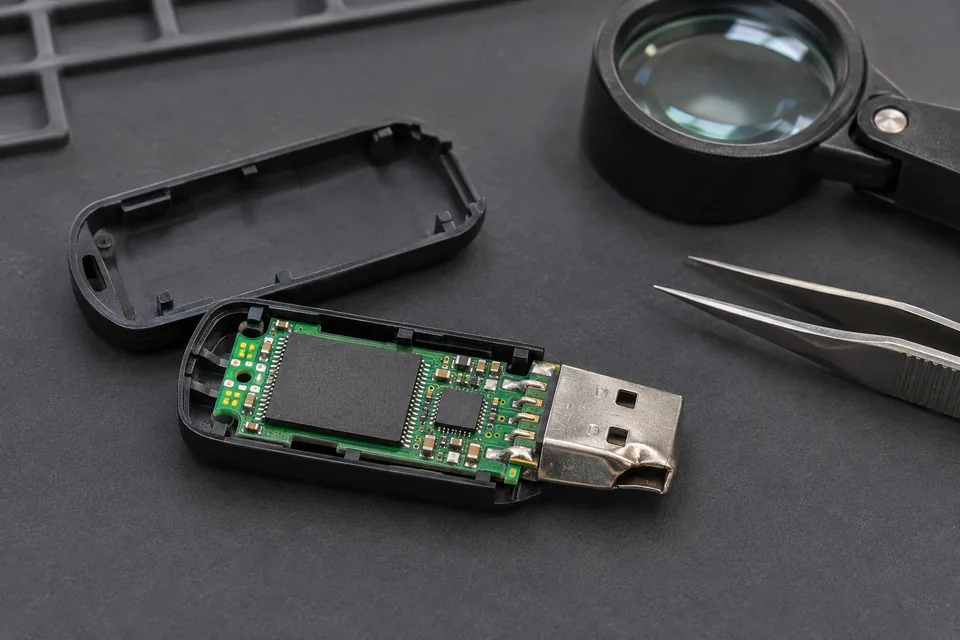
What this symptom can mean
A broken plug may interrupt a connection while leaving the stored data intact, but the impact can also damage board traces, components or the memory package. Physical appearance alone cannot show the extent of damage. Recovery software cannot compensate for an electrically unstable connection.
Plug bends after a laptop is bumped
The shell, solder joints or board can be stressed even if the drive still appears once. Repeated movement can turn an intermittent connection into greater damage.
Connector separates completely
Retain the connector and board. A replacement plug is not automatically a complete repair; lifted pads and damaged traces may require a different evaluation.
Drive becomes hot or smells burnt
Stop powering it. A short or other electrical damage needs assessment before further reads are attempted.
Safe checks before service
- Check for an independent copy in email attachments, cloud storage or another computer without reconnecting the damaged drive.
- Record the drive’s stated capacity and whether it was encrypted. Keep recovery credentials private and available through a secure agreed process.
- Photograph the damage from outside. Do not remove protective coatings or pry apart a tiny sealed device to get a better picture.
- Place the device and loose parts in a protective container so the connector cannot be bent further. Avoid tape on exposed contacts and components.
Do not bridge contacts with wire, hold the plug at an angle while copying, use glue near the board or heat the device with a household tool. Do not accept a format or initialization prompt as a repair step.
What professional diagnosis should separate
- 01
Damage boundary
Mashfix can inspect the connector, pads, traces and visible board damage before considering power.
- 02
Stable access
The evaluation determines whether a controlled connection or electrical repair is appropriate for recovering files. Some designs or damage types have substantial limits.
- 03
File return
If access is possible, recovered files belong on separate storage and need usability checks. A repaired connection is not a promise that all files are intact.
Recovery and reuse are different decisions
Tell Mashfix which files are irreplaceable before approving work, and mention previous bending, soldering or software attempts. For an encrypted drive, controller and credential requirements may constrain the recovery path; bypassing encryption is not part of an ordinary connector repair.
Even if files are recovered, retire a physically damaged flash drive from important storage. For Dallas or Fort Worth intake, choose the recovery service and describe the physical damage so the request reaches the appropriate evaluation path. No recovery outcome can be confirmed from a photograph.
Preserve the original device until recovered copies are checked. A manufacturer replacement or refund is a hardware remedy and should not be assumed to include returning your files.
Common questions
Answers before you approve a repair
Can a snapped USB connector be repaired?
Sometimes a stable connection can be restored, but board and memory condition determine the options. A connector-only quote should not be mistaken for a guarantee of file recovery.
Should I run recovery software if Windows sees it briefly?
An unstable physical connection needs attention first. Repeated scans and reconnections can interrupt reads or worsen damage.
Need help in DFW? Compare the Dallas shop and Fort Worth shop at Suite 100, or review scheduled home and office visits. We confirm the service path, scope and timing before booking.
Product guidance and references
These technical resources explain the referenced behavior. Your device and situation still need their own assessment.