Desktop diagnostic guide
Desktop Starts Only After Unplugging Power: Record the Pattern
Published by MASHFiX Computer Repair and Data Recovery ·
A power disconnect that temporarily restores startup is useful evidence. Separate a failed start from sleep behavior before replacing the PSU or board.
Save work if the PC is currently running. Note what happens on a normal shutdown and the next attempted start. Stop if there is heat, a burning smell, arcing or a damaged cord.
What this symptom can mean
Disconnecting AC power changes the machine's standby state as well as removing power from several components. A temporary recovery can involve protection behavior, standby circuitry, a peripheral or firmware state. It does not prove that the supply is healthy or that the board needs replacement. Reproducing the original sequence is important.
The power button does nothing until AC is removed
Record the delay and which indicator lights remain on. The input source, PSU, switch path and board standby behavior need controlled evaluation.
It actually fails only when waking from sleep
That is a different trigger. Record whether the display turns off, fans continue and the machine responds to input. A wake problem should not be silently relabeled as a no-power fault.
Safe checks before service
- Check the accessible cord and outlet path without opening electrical equipment.
- Remove nonessential external accessories only after shutdown.
- Write down whether the behavior occurs after shutdown, sleep or an outage.
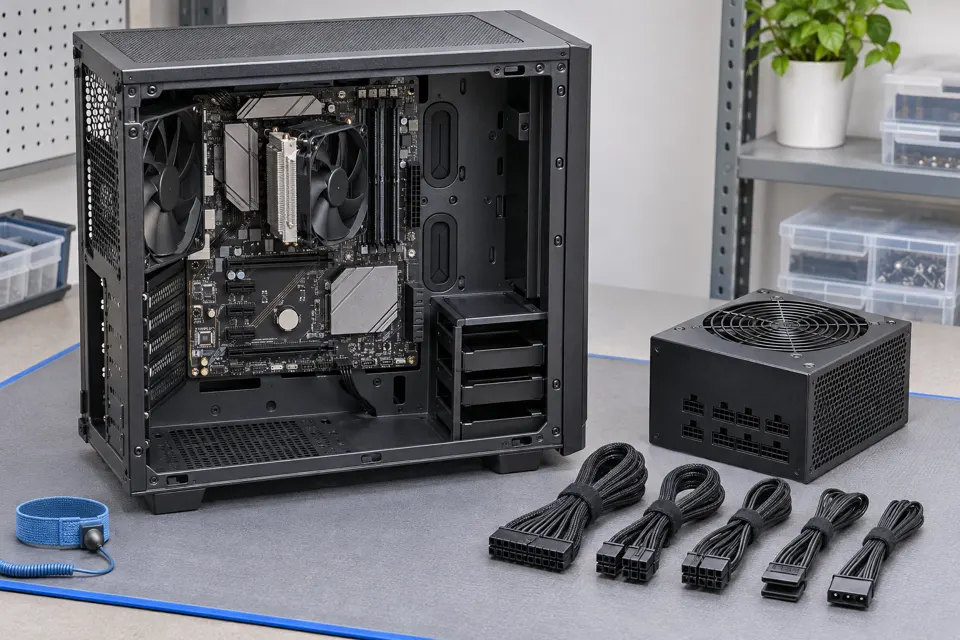
- Keep any original modular PSU cables with their own supply.
Repeated forced power removal while Windows is active can interrupt writes. Never open a PSU enclosure or swap modular cables between supplies. Follow exact manufacturer guidance for a one-time power reset if appropriate.
What professional diagnosis should separate
- 01
Reproduce the startup sequence
Mashfix can compare a cold start, ordinary shutdown and restart while documenting the actual failure.
- 02
Test the relevant power path
A supported comparison can assess the source, supply, switch and standby behavior without replacing multiple parts at once.
- 03
Validate repeated operation
One successful start after a reset is insufficient. Recheck the original sequence and explain any remaining intermittent behavior.
Bring the failure history with the tower
For a Dallas or Fort Worth shop visit, include the parts list, original power cables and a description of the last normal start. If the problem is intermittent, a private video of lights and sounds can help. Keep personal account screens out of that recording.
Back up files during stable operation. A startup-power problem does not itself require Windows reinstallation. Let the evaluator know whether the storage also disappears or reports errors.
Common questions
Answers before you approve a repair
Does unplugging it reset the BIOS?
Removing AC power is not equivalent to deliberately clearing firmware settings on every model. Avoid assumptions about what changed.
Does a PSU tester passing settle it?
A simple tester does not reproduce every startup or load condition. Its result needs to be considered with the original failure.
Visit a DFW repair shop
- Arlington603 Causley Ave
Arlington, TX 76010 - Dallas4323 W Illinois Ave, Suite 104
Dallas, TX 75211 - Euless1001 W Euless Blvd, Suite 417
Euless, TX 76040 - Fort Worth6800 Randol Mill Rd, Suite 100
Fort Worth, TX 76120 - Grand Prairie207 Clarice St
Grand Prairie, TX 75051 - Irving4324 N Belt Line Rd, Suite C103
Irving, TX 75038
Product guidance and references
These technical resources explain the referenced behavior. Your device and situation still need their own assessment.