Business IT diagnostic guide
Ethernet Stuck at 100 Mbps: Check the Local Link
Published by MASHFiX Computer Repair and Data Recovery ·
An Ethernet link speed of 100 Mbps differs from an internet speed-test result. Check the cable, adapter and switch capability before upgrading your internet plan.
Read the adapter's reported link speed and record it separately from any speed test. Note whether the connection goes through a dock, wall jack or network switch.
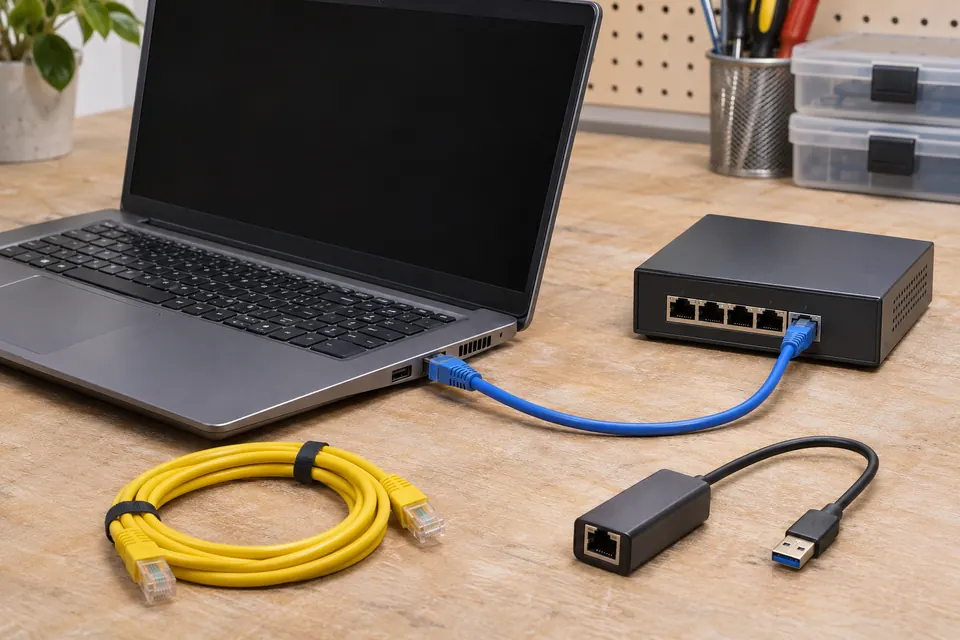
What this symptom can mean
The local link is the negotiated connection between the adapter and its next network device. The internet service is farther along the path. A cable problem, a 10/100 port, an adapter limit or configuration can constrain that link. A fast internet plan cannot remove a slower local connection.
A direct cable gives a faster link
Compare the same computer and switch port with one known-good cable rated for the required speed. A wall run, coupler or original patch lead may then need inspection.
Only the dock connection reports 100 Mbps
Check the dock's Ethernet specification and upstream connection. The laptop's separate network adapter may have different capability.
Safe checks before service
- Record the adapter, dock and switch models.
- Compare one known-good Cat 5e or Cat 6 cable on a suitable gigabit port.
- Change one component at a time and record negotiated speed.
- Ask the network administrator before altering an office switch or adapter setting.
A forced mismatch can cause connectivity or performance problems. A faster link after a setting change still needs testing. Avoid cutting or reterminating building wiring without appropriate equipment and authorization.
What professional diagnosis should separate
- 01
Separate local negotiation from internet throughput
Mashfix can document both measurements so an internet-provider issue is not confused with a cable or adapter limit.
- 02
Compare the physical path
Cables, wall points, dock and switch ports can be tested in a controlled sequence.
- 03
Check normal business use
After correction, verify file transfers and ordinary applications. Advertised link speed is not a guaranteed application transfer rate.
Request onsite network help in DFW
Describe which workstations are affected, the link speeds shown and whether the issue began after a desk or equipment move. Mashfix can assess an agreed office connection path in Dallas, Fort Worth and served communities. Network changes should account for staff who are actively working.
Use authorized test files. Do not copy confidential business folders to an unapproved device or service just to measure speed.
Common questions
Answers before you approve a repair
Does 1 Gbps guarantee my downloads will reach that speed?
No. The server, internet plan, shared traffic and other parts of the path can still limit throughput.
Is Wi-Fi always slower than Ethernet?
No. A slow wired link can perform below a capable Wi-Fi connection. Compare the actual setup and requirements.
Visit a DFW repair shop
- Arlington603 Causley Ave
Arlington, TX 76010 - Dallas4323 W Illinois Ave, Suite 104
Dallas, TX 75211 - Euless1001 W Euless Blvd, Suite 417
Euless, TX 76040 - Fort Worth6800 Randol Mill Rd, Suite 100
Fort Worth, TX 76120 - Grand Prairie207 Clarice St
Grand Prairie, TX 75051 - Irving4324 N Belt Line Rd, Suite C103
Irving, TX 75038
Product guidance and references
These technical resources explain the referenced behavior. Your device and situation still need their own assessment.