Laptop diagnostic guide
Laptop Battery Drains Overnight While Sleeping
Published by MASHFiX Computer Repair and Data Recovery ·
Distinguish sleep activity from battery wear when a laptop loses charge overnight. Safe comparisons before ordering a replacement battery.
Save work, shut down normally, disconnect accessories and compare the next idle period with the usual sleep behavior. Do not run this comparison if the battery is swollen or hot.
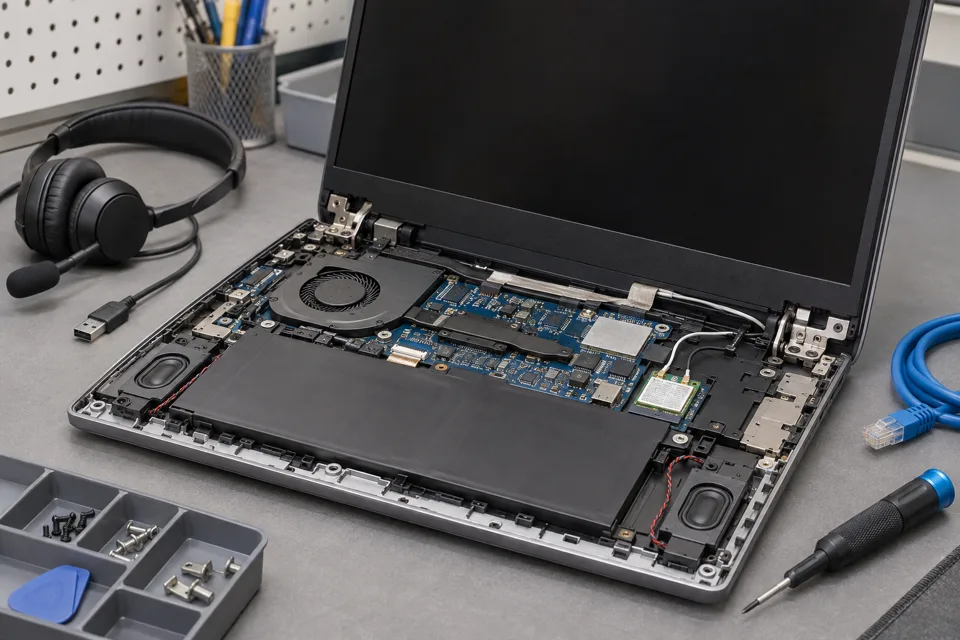
What this symptom can mean
A sleeping laptop is not necessarily powered off. Background activity, wake events, docks and connected devices can consume energy. A worn battery has less usable capacity, but one overnight percentage drop cannot identify the cause.
Drains mainly during sleep
Power-state activity or wake behavior becomes a stronger lead than battery replacement alone.
Also drains while shut down
Battery condition, attached accessories and the power path deserve closer evaluation.
Runs briefly even when fully charged
Reduced usable capacity or unexpected load may be involved; compare normal usage and battery condition.
Safe checks before service
- Record charge level, elapsed time and attached devices for each comparison.
- Review battery usage in Windows settings.
- Use hibernation or normal shutdown for transport if sleep behavior is unreliable.
- Keep vents clear and let an unusually warm device cool in a safe open location.
Stop using or charging a swollen battery. Do not repeatedly deep-discharge it in an attempt to restore capacity.
What professional diagnosis should separate
- 01
Compare power states
Mashfix can review whether drain occurs during sleep, operation or shutdown.
- 02
Assess battery condition
Reported capacity and behavior are considered alongside physical condition; a percentage estimate is not a laboratory measurement.
- 03
Test the actual setup
Dock, charger and wake behavior should be checked before concluding a new battery will solve the complaint.
What a battery quote should answer
Ask whether the recommendation addresses measured battery wear, a charging fault or unwanted activity during sleep. Those findings may require different work. Bring the charger and dock if the symptom occurs only with them attached.
After service, repeat a realistic idle interval and a normal work session. Do not judge the outcome solely by a full-charge icon. Runtime depends on workload, brightness and peripherals, so no single hour estimate applies to every customer.
Tell Mashfix which files are irreplaceable before authorizing changes. Keep a separate verified backup when the computer can be used safely; stop copying if storage disconnects, clicks or produces read errors. Never place passwords or recovery keys in a public request.
Common questions
Answers before you approve a repair
Will a new battery fix overnight drain?
It may help when capacity is reduced, but it does not remove background activity or unwanted wake events. Confirm the cause before buying parts.
Need help in DFW? Compare the Dallas shop and Fort Worth shop at Suite 100, or review scheduled home and office visits. We confirm the service path, scope and timing before booking.
Product guidance and references
These manufacturer resources explain the referenced product behavior. Your model and condition still need their own assessment.