Laptop input diagnostic guide
Laptop Touchpad Stopped Working: Setting or Hardware?
Published by MASHFiX Computer Repair and Data Recovery ·
A touchpad failure needs a different check from a frozen computer. Compare an external mouse, settings and physical condition before approving replacement.
Inspect without pressing: if the palm rest or touchpad is lifting, stop using and charging the laptop. Otherwise compare an external mouse and keyboard response.
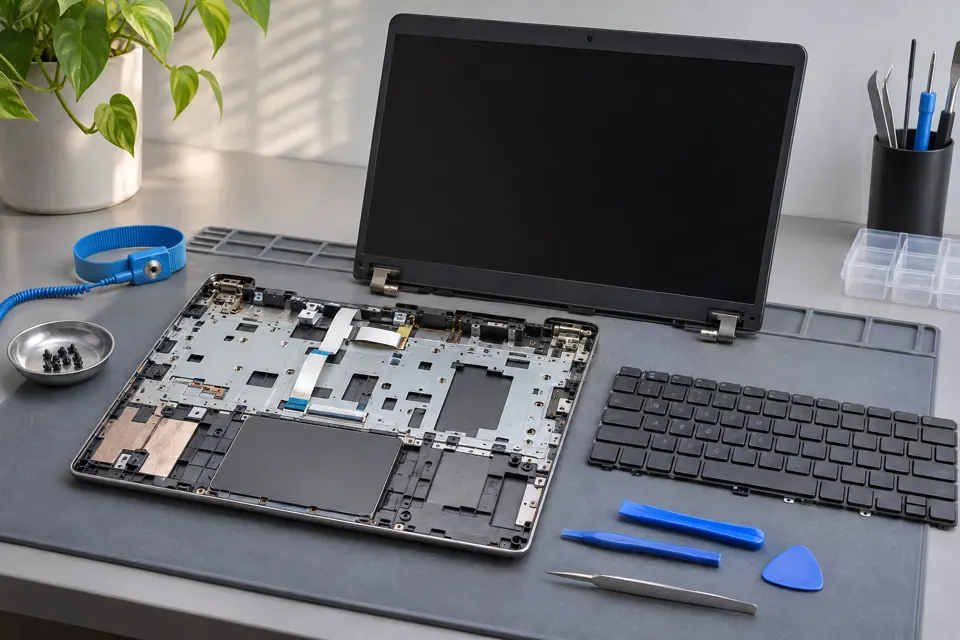
What this symptom can mean
Touchpad behavior depends on its enable setting, driver, internal connection and physical assembly. Some laptops disable it with a function key or while a mouse is attached. If the entire system is frozen, the pointer is only one symptom and replacing the touchpad may not address it.
External mouse works normally
Check model-specific touchpad enable controls and Windows settings. A working mouse narrows the input path but does not identify a failed touchpad part.
Touchpad is raised or difficult to click
Battery swelling or physical damage may be pressing on the assembly. Stop pressure and charging rather than trying to click it back into place.
Safe checks before service
- Confirm the keyboard and an external mouse respond before calling it a touchpad-only failure.
- Look for the manufacturer touchpad toggle and note the current setting.
- Check Windows touchpad settings using the keyboard or external mouse.
- Record any recent liquid exposure, battery work or drop.
Do not flex the case, force a raised clickpad flat or install third-party driver utilities. Suspected swelling takes priority over software troubleshooting.
What professional diagnosis should separate
- 01
Separate input from freezing
Mashfix can check whether the system is responsive while the touchpad is unavailable.
- 02
Check configuration and hardware
Appropriate driver, settings, cable condition and assembly damage are considered before parts are ordered.
- 03
Retest normal use
After approved work, pointer motion, clicks, gestures and sleep/reconnect behavior should match the supported model features.
When bench assessment is useful
A touchpad that fails only when the chassis is moved may have a connection or physical issue, but flexing it repeatedly is not a safe confirmation test. Report the observation and stop reproducing it.
Bring the laptop and describe whether a mouse, keyboard and touchscreen still work. Mashfix can review laptop repair through its DFW locations. Battery damage, liquid exposure or an internal connector can change the service scope and must be explained before approval.
An input-device repair normally does not need a Windows reset. Back up accessible work when safe; do not keep using a swollen device to create a backup.
Common questions
Answers before you approve a repair
Can a function key disable the touchpad?
On some models, yes. The exact shortcut depends on the manufacturer.
Should a hard-to-click touchpad be forced down?
No. Inspect for swelling or enclosure damage and arrange safe service.
Need help in DFW? Compare the Dallas shop and Fort Worth shop at Suite 100, or review scheduled home and office visits. We confirm the service path, scope and timing before booking.
Product guidance and references
These technical resources explain the referenced behavior. Your device and situation still need their own assessment.