Laptop diagnostic guide
Laptop Unused for Years Will Not Turn On: First Decisions
Published by MASHFiX Computer Repair and Data Recovery ·
A stored laptop may have a depleted battery, model-specific storage mode or another fault. Check its condition and data priorities before trying to revive it.
Inspect the closed laptop and charger before connecting power. If the case is lifting, the battery area is distorted, or there is corrosion, heat or an unusual odor, stop and arrange an evaluation.
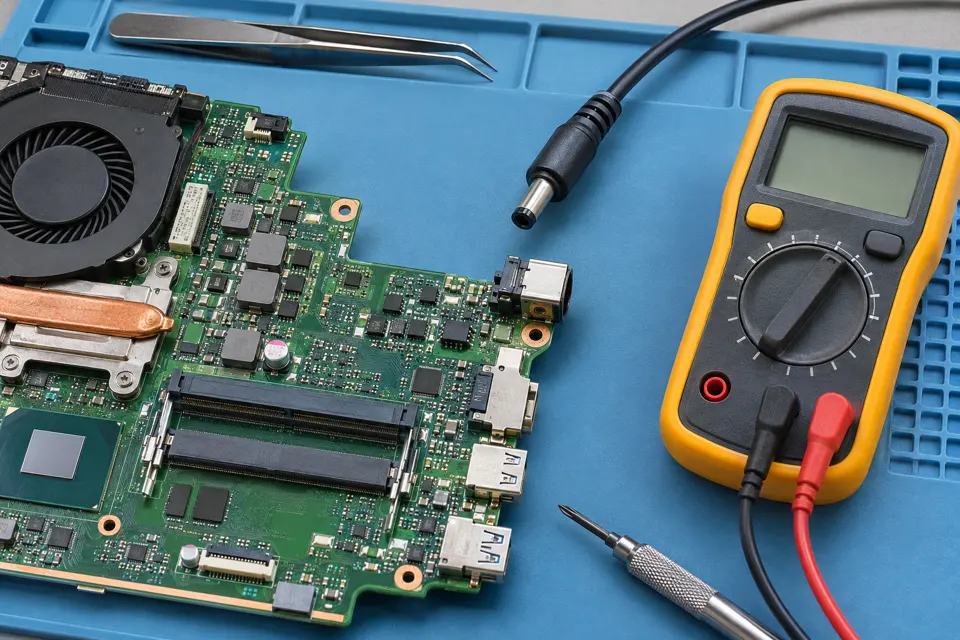
What this symptom can mean
Storage history changes the starting point for diagnosis. A rechargeable battery can lose charge while unused, and some models have a battery storage mode. That does not establish the cause of every dead laptop. The adapter, power connector, battery and board can fail independently. A computer that worked when it was put away still needs its present condition checked.
It responds only after the correct adapter is connected
Some models need external power to leave storage mode. Follow the exact manufacturer's instructions. If it starts, save important files before planning updates or assuming its battery is reliable.
Lights appear but there is no startup picture
This is different from a machine receiving no power. Record indicator patterns and whether a logo appears. Avoid ordering a battery or motherboard based only on the keyboard backlight.
Safe checks before service
- Find the exact model and the original compatible adapter.
- Note how long it was stored and whether the storage area was damp.
- Inspect the charger cable externally for damage.
- If the laptop starts normally without heat or swelling, make a separate backup before optional changes.
Age or an empty indicator does not justify charging a swollen pack. Avoid universal internet reset sequences that involve opening an unfamiliar laptop or disconnecting its internal battery.
What professional diagnosis should separate
- 01
Separate power from startup
Mashfix can document input power, indicator behavior and whether the computer completes its initial hardware checks.
- 02
Evaluate the stored battery and adapter
The assessment can compare compatible power equipment and model-specific battery reporting before a part is recommended.
- 03
Plan restoration in the right order
Protect existing files, then discuss needed hardware, supported software and practical use. A successful power-on does not establish that an old operating system is suitable for current online work.
Arrange a useful assessment in DFW
Include the charger, storage history and intended use when contacting Mashfix. Customers in Dallas, Fort Worth and the other served communities can choose a shop through the directory below. A condition check and a data plan help define the scope before work begins.
Tell the technician if the stored laptop contains the only copy of photos, documents or a business archive. Resetting the machine is a separate authorization from diagnosing why it will not start.
Common questions
Answers before you approve a repair
Does two years in storage ruin the motherboard?
Storage time alone does not prove a motherboard fault. Battery condition, environment and power behavior need evaluation.
Should I replace the battery before bringing it in?
A compatible battery may eventually be needed, but inspection and diagnosis can prevent replacing it when another fault is responsible.
Visit a DFW repair shop
- Arlington603 Causley Ave
Arlington, TX 76010 - Dallas4323 W Illinois Ave, Suite 104
Dallas, TX 75211 - Euless1001 W Euless Blvd, Suite 417
Euless, TX 76040 - Fort Worth6800 Randol Mill Rd, Suite 100
Fort Worth, TX 76120 - Grand Prairie207 Clarice St
Grand Prairie, TX 75051 - Irving4324 N Belt Line Rd, Suite C103
Irving, TX 75038
Product guidance and references
These technical resources explain the referenced behavior. Your device and situation still need their own assessment.