Storage diagnostic guide
M.2 SSD Upgrade: Check SATA, NVMe and Physical Fit
Published by MASHFiX Computer Repair and Data Recovery ·
Before buying an M.2 SSD, separate connector shape, storage protocol, drive length and cooling clearance. A drive that fits may still be unsupported.
Find the exact computer or motherboard model and its storage specification. Photograph the existing drive label privately; do not order by the M.2 shape alone.
What this symptom can mean
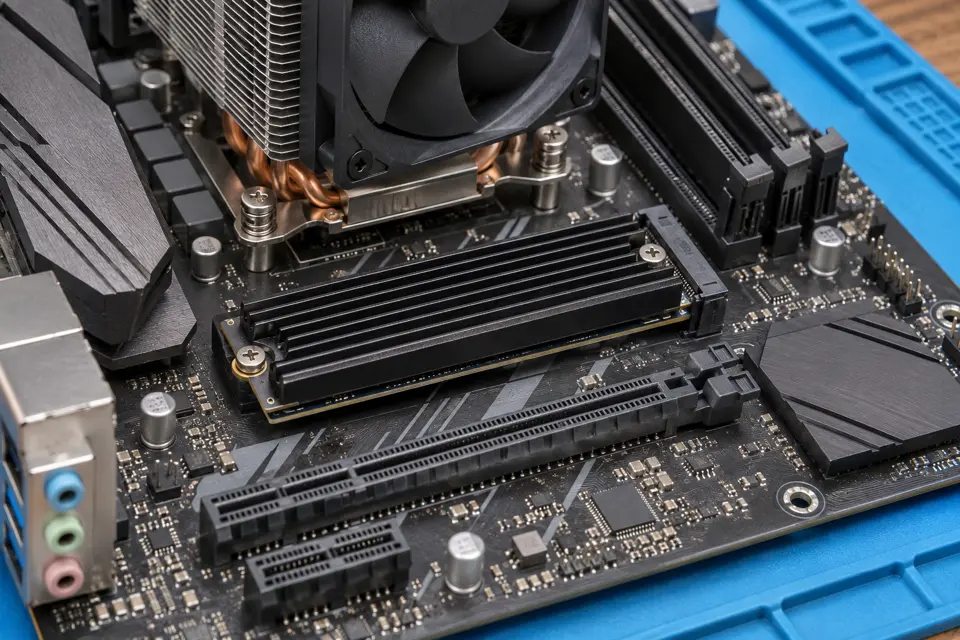
M.2 describes a physical format used by different interfaces. SATA and PCIe/NVMe support depends on the actual socket and system. A mounting position, similar notch or advertised PCIe generation does not establish compatibility. Some slots share resources with other connectors, and laptop covers may not accommodate a tall heatsink.
The new drive fits but is absent
A protocol mismatch, disabled/shared slot, firmware setting or installation fault can look like a defective SSD. Check the manual before changing storage modes.
A faster generation works more slowly
A supported drive can operate at the platform’s supported link speed. A newer label does not upgrade the motherboard or remove other transfer bottlenecks.
The cover will not close
Drive length, double-sided components, pads and heatsinks need clearance. Pressure from a cover can damage the assembly; a forced fit is not an installation test.
Safe checks before service
- Confirm supported interface, length and capacity in the exact model manual.
- Check mounting screw and heatsink requirements before purchase.
- Back up readable files from a stable source and verify a sample opens.
- Decide whether the job is a fresh installation, migration or additional storage.
Do not initialize or format the old drive to make the new one visible. If the source stalls, disappears or reports read errors, stop routine cloning and discuss recovery first.
What professional diagnosis should separate
- 01
Compatibility review
Match the proposed part to the platform, slot and available clearance.
- 02
Installation and detection
Check seating, retention, thermal contact and firmware detection without blindly switching controller modes.
- 03
Migration acceptance
Verify booting from the intended drive, accessible files and essential applications before retiring the source.
What to bring for an upgrade quote
Bring the computer model, current capacity, desired capacity and whether you want your existing Windows installation moved. Include any proposed replacement part number. A screenshot of free space helps plan capacity; it does not establish hardware compatibility.
Ask the quote to separate the drive, installation, migration and any recovery work. Mashfix can evaluate the proposed upgrade and explain which steps are appropriate before a purchase or transfer is approved.
Keep the original source unchanged until the agreed files and startup behavior are verified. Encryption recovery keys remain under the owner’s control.
Common questions
Answers before you approve a repair
Is every M.2 drive NVMe?
No. M.2 is a form factor; the supported interface must be checked separately.
Does a newer PCIe generation guarantee faster work?
No. The platform, workload, temperature and source/destination devices can limit performance.
Need help in DFW? Compare the Dallas shop and Fort Worth shop at Suite 100, or review scheduled home and office visits. We confirm the service path, scope and timing before booking.
Product guidance and references
These technical resources explain the referenced behavior. Your device and situation still need their own assessment.