Storage diagnostic guide
M.2 SSD Not Recognized in a USB Enclosure: Check the Protocol
Published by MASHFiX Computer Repair and Data Recovery ·
M.2 describes a form factor, while SATA and NVMe describe different interfaces. Match the enclosure and drive before treating an undetected SSD as failed.
Keep the SSD unmodified and record its exact model plus the enclosure model. If it contains the only copy of files, stop initialization and formatting prompts.
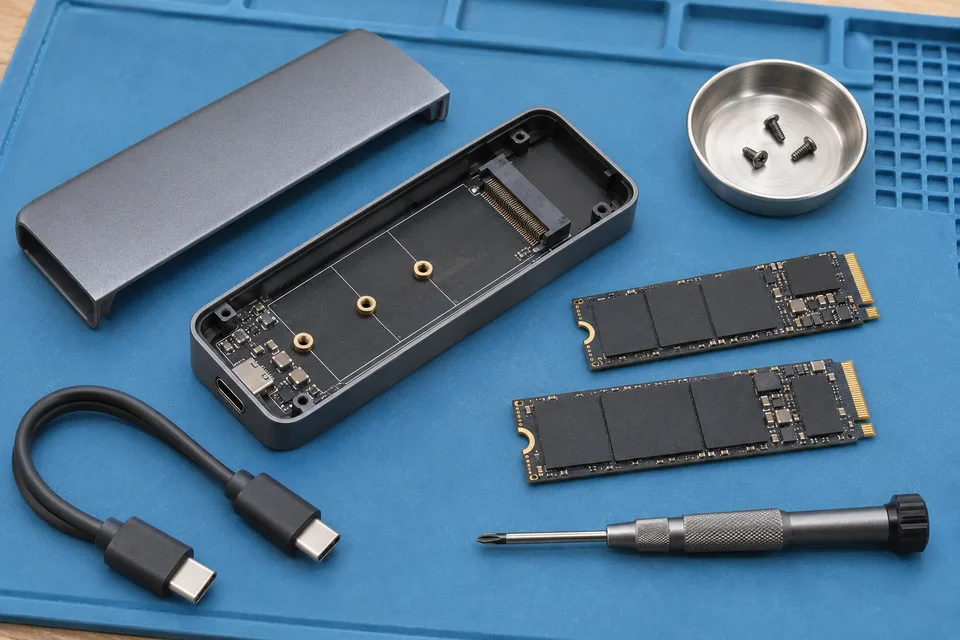
What this symptom can mean
Some M.2 enclosures support SATA, some support NVMe, and some support both. Physical fit and a USB-C cable do not settle compatibility. An enclosure can receive USB power while being unable to communicate with the installed drive. A failed cable, installation problem or damaged SSD remains possible after compatibility is confirmed.
The enclosure appears but no disk is available
The USB bridge may be recognized without a usable drive behind it. Compare documented protocol and supported dimensions before changing partitions.
The drive worked in its original computer
Keep that original configuration available if safe. A controlled compatible-enclosure comparison is more useful than trying several unverified adapters.
Safe checks before service
- Read the drive's full model specification rather than judging only its connector notch.
- Check the enclosure's SATA/NVMe and length support.
- Use its supplied compatible data cable and a suitable direct port.
- If the drive becomes unusually hot or repeatedly disconnects, stop testing and describe that behavior.
Power must be disconnected before installation or removal. Do not trim a connector, move a standoff onto components or format a previously used drive to make the enclosure detect it.
What professional diagnosis should separate
- 01
Verify the complete interface path
Mashfix can compare the drive, enclosure, cable and host requirements.
- 02
Separate detection from filesystem access
A detected disk with inaccessible files needs different evaluation from a bridge that never recognizes its SSD.
- 03
Protect the original before migration
If readable, copy to separate storage and verify files before repurposing the original or changing its format.
What to bring for an assessment
Bring the SSD, enclosure and cable together, and note its original computer and whether it holds important files. Dallas, Fort Worth and other Mashfix customers can select a shop below. Explain whether your goal is file transfer, reuse or recovery so the evaluation starts with the right priority.
Keep original enclosures and encryption information. A compatible adapter cannot bypass device encryption or restore failed flash memory.
Common questions
Answers before you approve a repair
Will any NVMe enclosure read an M.2 SATA drive?
No. Support must be documented for the specific enclosure. Dual-protocol products exist, but that capability should be verified.
Does an undetected enclosure mean the SSD is dead?
No. Compatibility and the connection path need checking before a storage-failure conclusion.
Visit a DFW repair shop
- Arlington603 Causley Ave
Arlington, TX 76010 - Dallas4323 W Illinois Ave, Suite 104
Dallas, TX 75211 - Euless1001 W Euless Blvd, Suite 417
Euless, TX 76040 - Fort Worth6800 Randol Mill Rd, Suite 100
Fort Worth, TX 76120 - Grand Prairie207 Clarice St
Grand Prairie, TX 75051 - Irving4324 N Belt Line Rd, Suite C103
Irving, TX 75038
Product guidance and references
These technical resources explain the referenced behavior. Your device and situation still need their own assessment.