Laptop diagnostic guide
Choosing a Compatible Replacement Laptop Screen
Published by MASHFiX Computer Repair and Data Recovery ·
Screen size and a matching connector do not establish compatibility. Check the exact display configuration before ordering a replacement.
Before ordering a screen, record the laptop’s complete model and original display features. Do not buy solely from a listing that matches the brand and diagonal size, and do not open a delicate display assembly just to find a label if you are unfamiliar with its service procedure.
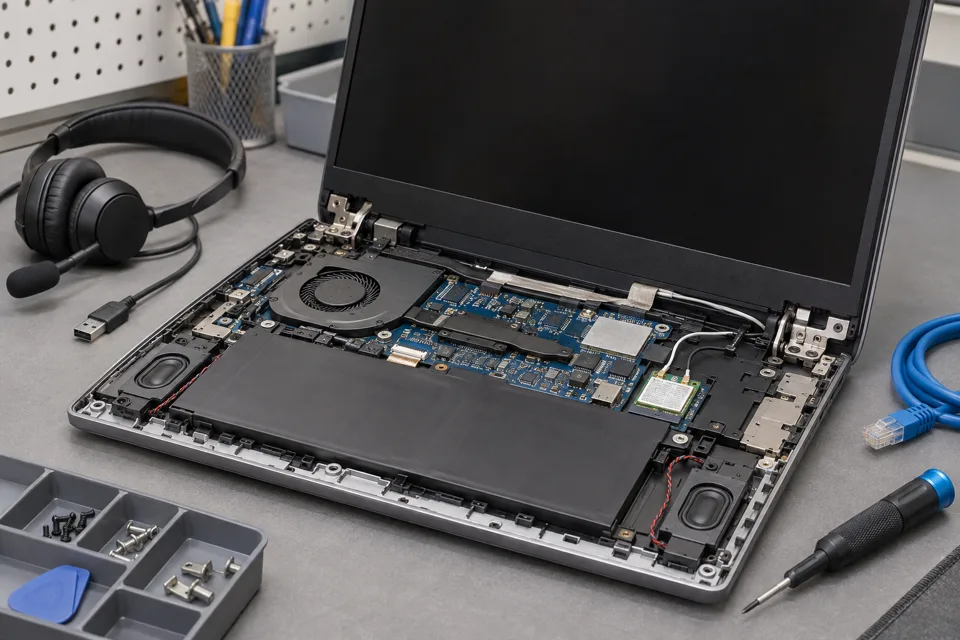
What this symptom can mean
A laptop family can ship with different display configurations. The panel, cable, mounting arrangement and supported features must work together. A connector that appears to fit does not establish electrical or functional compatibility, and a higher resolution or refresh rate is not automatically a supported upgrade.
Two listings look identical but have different specifications
Similar-looking panels can differ in connection position, mounting and touch capability. The exact supported part or documented compatible alternative matters more than a generic product photograph.
You want a better screen instead of the original specification
An upgrade needs a compatibility assessment of the particular laptop, not just the desired resolution. Availability, connection requirements and supported functions can limit the realistic choices.
Safe checks before service
- Use system information, purchase records or an accessible model label to identify the computer; keep serial numbers out of public posts.
- Record whether the original display supports touch, its resolution and any other known display option. A sales family name alone may be insufficient.
- Keep the old screen and any previous quote until the correct replacement has been verified; do not discard identifying information before assessment.
Do not force a connector, modify a cable or connect an unknown screen to see whether it works. Display work requires correct power isolation and model-specific handling; an incorrect connection can create additional damage.
What professional diagnosis should separate
- 01
Confirm the original configuration
Mashfix can identify the relevant display and cable configuration using model-specific information and inspection when needed. Marketing descriptions should be checked against the actual computer.
- 02
Check the assembly requirements
Compatibility includes more than the electronic panel. A quote should account for damaged supporting parts and the appropriate replacement assembly rather than assume every repair uses a bare LCD.
- 03
Agree on the supported result
Ask which original features the proposed part preserves and what will be verified after installation. A clear written scope is more useful than an unsupported promise that any similarly sized screen is an upgrade.
Give the repair request enough detail
For Mashfix screen service across Dallas–Fort Worth, send the full model, the original fault and any prior replacement part number through the normal booking conversation. Say whether the goal is restoring the original display or evaluating an upgrade. This helps avoid ordering a part before the repair scope is understood.
A display replacement should not require deleting files. If the laptop also has startup faults, liquid exposure or missing storage, describe those separately before authorizing a screen purchase.
Common questions
Answers before you approve a repair
Are all 40-pin laptop screens interchangeable?
No. Pin count alone does not confirm compatibility. The supported panel, cable and display configuration must be checked for the exact machine.
Can a non-touch screen replace my touchscreen?
Do not assume it is a direct substitute. The parts and assembly can differ, and the intended result changes. Ask for a supported repair option that clearly states which functions it preserves.
Need help in DFW? Compare the Dallas shop and Fort Worth shop at Suite 100, or review scheduled home and office visits. We confirm the service path, scope and timing before booking.
Product guidance and references
These technical resources explain the referenced behavior. Your device and situation still need their own assessment.