Gaming PC diagnostic guide
CPU Fan Error After a Cooler Change: Check the Signal
Published by MASHFiX Computer Repair and Data Recovery ·
A CPU fan warning after a cooler change needs a header, speed-signal and cooling check before the warning is disabled.
Record the exact startup warning and cooler model. If the CPU temperature rises rapidly or cooling is visibly not working, shut down rather than repeatedly bypassing the warning.
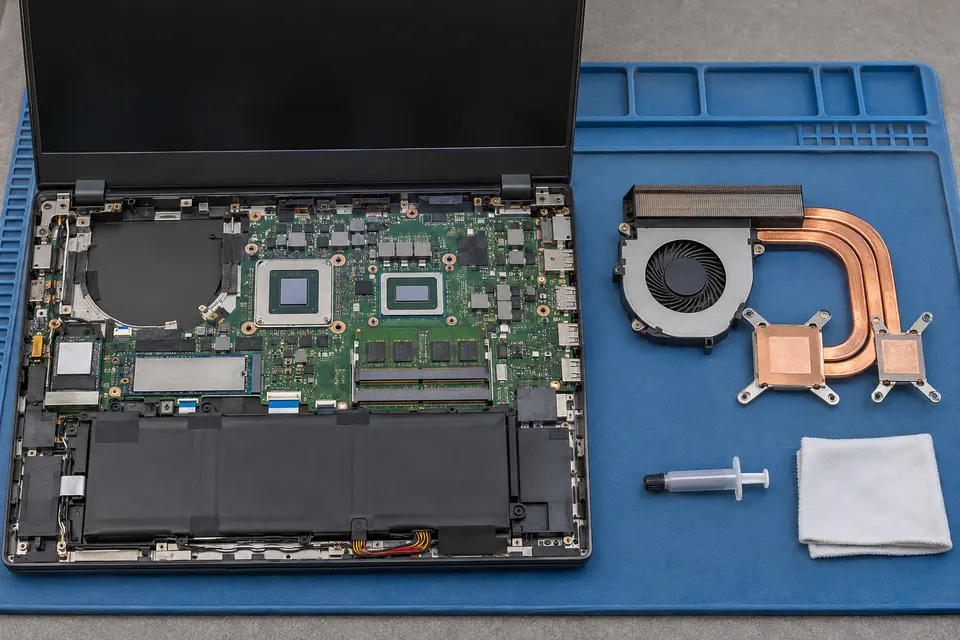
What this symptom can mean
A CPU fan warning concerns the signal monitored by the motherboard, not the health of the processor by itself. A disconnected fan, a low-speed reading or a cooler wired through another controller can produce different diagnostic paths. A spinning case fan does not establish that the CPU cooler is powered or mounted correctly.
Air cooler spins but firmware reports no CPU fan
The fan may be on a different header, its speed signal may be missing, or its minimum speed may conflict with the configured threshold. Compare the exact motherboard and cooler instructions.
Liquid cooler was just installed
Pump power, radiator fans and the monitored speed lead can be separate connections. Their required arrangement depends on the cooler; do not move leads simply because another build uses a similar connector.
Safe checks before service
- Photograph the warning and note any displayed CPU temperature or fan reading without leaving an overheating PC running.
- Identify the motherboard model and full cooler model, including any hub or controller used.
- With the PC shut down and unplugged, visually compare accessible connections with both manuals. Leave rewiring to a person familiar with the hardware.
- Tell support whether the warning began immediately after a cooler swap, cable change or firmware reset.
Do not select Ignore, disable temperature protection or run a stress test just to get past startup. A configuration correction is appropriate only after actual cooling and the expected monitoring path have been established.
What professional diagnosis should separate
- 01
Power and monitoring
Mashfix can trace how the fan or pump receives power and which lead supplies the motherboard speed reading.
- 02
Cooling effectiveness
Mounting, fan operation and temperature behavior can be considered separately from a missing RPM signal.
- 03
Configuration and acceptance
The supported control mode and warning threshold can be reviewed for the actual hardware, then normal startup and cooling behavior checked.
What a useful service request includes
Provide the cooler and motherboard model, the exact warning and a list of changes. Include any recent overheating or sudden shutdown separately; do not assume the new warning explains every older problem.
A Dallas or Fort Worth gaming-PC evaluation can establish whether the issue is wiring, configuration, a damaged cooler or another fault. A clean startup after changing one setting alone is insufficient evidence that cooling remains adequate during normal work. Ask which cooling checks will be included before approving replacement parts.
Cooler troubleshooting should not require erasing storage. Save work before a controlled shutdown, and keep a backup when the machine is stable and safe to use.
Common questions
Answers before you approve a repair
Does CPU Fan Error mean the CPU is bad?
No. It is a warning about monitored cooling behavior and needs its own checks.
Can an AIO use a different header from an air cooler?
Yes, arrangements vary. Follow both the exact cooler and motherboard documentation rather than a universal wiring rule.
Need help in DFW? Compare the Dallas shop and Fort Worth shop at Suite 100, or review scheduled home and office visits. We confirm the service path, scope and timing before booking.
Product guidance and references
These technical resources explain the referenced behavior. Your device and situation still need their own assessment.