Office and home networking diagnostic guide
Ethernet Connected but No Internet on One PC: Isolate the Path
Published by MASHFiX Computer Repair and Data Recovery ·
Compare the cable, port and workstation when a wired computer loses internet access while other devices remain online.
Establish whether only this computer is affected. Record whether it can reach a known working website and any authorized local resource. An Ethernet light confirms a physical link, not that internet or office access is working.
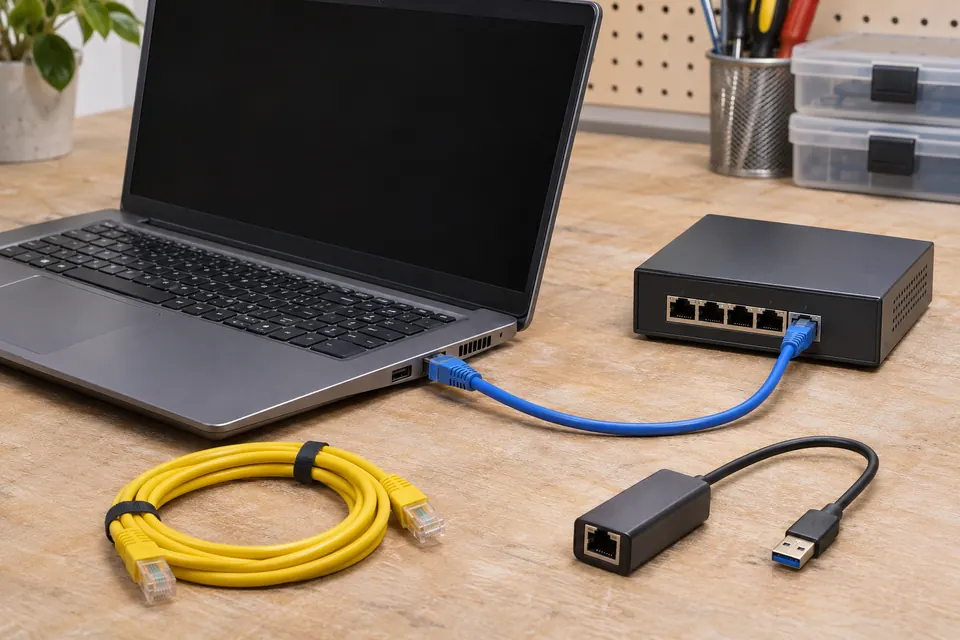
What this symptom can mean
A wired path includes the PC adapter, cable, wall connection, switch and upstream network. Address assignment, DNS, VPN software, security policy and provider service add other layers. When other devices work, replacing the router or resetting the whole office can interrupt healthy users without identifying this PC's problem.
The same PC fails on a known-good cable
The adapter, operating-system configuration or device-specific policy becomes more relevant. Keep the tested port and cable recorded so the comparison is meaningful.
Any PC fails at one desk
The desk's patch cable, wall path or switch port may deserve attention. Do not move unmanaged cables in a business rack or change a managed port without permission.
Websites work but a business resource does not
The internet path may be functioning. VPN, permissions, name resolution or the service itself can require separate review by the organization's administrator.
Safe checks before service
- Reseat an accessible undamaged Ethernet plug once and inspect the latch without forcing the socket.
- With permission, try a known-good patch cable and approved working port, changing one item at a time.
- Confirm whether Wi-Fi was masking the result; record which connection was actually used during each test.
- Note network status, recent VPN or driver changes and whether the same PC works elsewhere. Share sensitive network details only through an agreed private support process.
Do not factory-reset the router, disable the firewall, assign a guessed static IP or unplug shared equipment at random. Windows Network reset can remove adapter configuration and require VPN or virtual-network setup again. Obtain the administrator's approval first.
What professional diagnosis should separate
- 01
Separate physical and configuration faults
Mashfix can compare the workstation, cable and supported local connection to narrow the path. A damaged socket needs a different repair from a valid link with a configuration problem.
- 02
Coordinate controlled access
For business equipment, the authorized contact or existing IT provider supplies the necessary network permission. Managed firewall, VLAN and provider changes stay with the responsible administrator.
- 03
Test the actual business task
After approved work, check the required website, application or local resource from the intended wired connection. A link light or successful login alone is not the whole success check.
When onsite support is useful
The physical office path is often easier to assess at the affected desk. Include the DFW service address, affected users, PC model and whether other devices work there. Mashfix reviews the scope and availability before confirming a scheduled visit; this is not an emergency-response or managed-network guarantee.
If the Ethernet socket is loose or the adapter fails on every working connection, hardware assessment may need the repair bench. A clearly documented desk-versus-device comparison helps avoid transporting a PC when the failure only exists in the building.
Changing network settings does not require sending customer files or passwords in the inquiry. Keep business access controls in place and involve the person authorized to approve changes.
Common questions
Answers before you approve a repair
Does a flashing port light prove the internet works?
No. It indicates link or activity at that connection. Addressing, routing, DNS and the target service can still fail.
Can a USB Ethernet adapter confirm the motherboard is bad?
It can provide another comparison, but a working adapter does not by itself distinguish a damaged socket from a driver or configuration problem.
Need help in DFW? Compare the Dallas shop and Fort Worth shop at Suite 100, or review scheduled home and office visits. We confirm the service path, scope and timing before booking.
Product guidance and references
These technical resources explain the referenced behavior. Your device and situation still need their own assessment.