Gaming PC diagnostic guide
Gaming PC Unstable with XMP or EXPO: Establish a Baseline
Published by MASHFiX Computer Repair and Data Recovery ·
Separate memory-profile instability from a defective RAM kit, GPU or motherboard before buying parts or raising voltages.
Record the RAM kit, motherboard, CPU, firmware version and enabled memory profile. If you know the model-specific procedure, compare stability with that profile disabled and standard memory settings; otherwise request help before changing firmware.
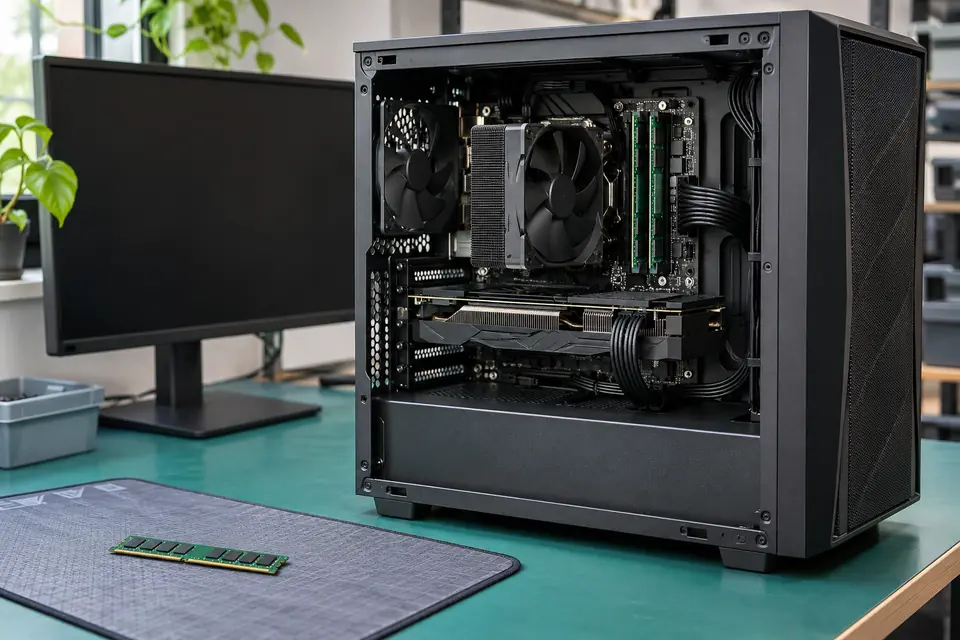
What this symptom can mean
XMP and EXPO are memory-overclocking profiles, not promises that every CPU, board and DIMM arrangement will run the advertised kit speed. A machine that is stable at standard settings but crashes with a profile enabled has a configuration-dependent symptom. That result deserves investigation before any expensive component is condemned.
It fails only with the profile enabled
Profile settings, firmware, memory-controller limits and the installed kit arrangement become relevant. Stable standard operation does not establish that the profile is validated for this exact system.
It also fails at standard settings
The problem is broader than the profile toggle. Memory hardware, seating, power, temperatures and other components may need controlled testing.
Problems began after adding a second kit
Two kits with similar labels are not necessarily validated together. Record every module's part number and the slot arrangement instead of treating the combined capacity as one matched kit.
Safe checks before service
- Save work and protect important files before trying to reproduce instability.
- Check the motherboard's manual and memory compatibility list for the exact kit, CPU generation, capacity and DIMM count.
- Record the original settings and change only the relevant memory profile. Do not load all defaults without understanding boot, storage and security settings.
- Allow the platform's documented memory-training behavior; do not repeatedly interrupt startup because the display takes longer than expected.
Overclocking can reduce stability and may affect component warranties. Manual voltage or timing changes need platform-specific knowledge. Do not mix modular PSU cables, flash unrelated firmware or run heavy tests against unprotected important files.
What professional diagnosis should separate
- 01
Create a reproducible comparison
Mashfix can review the exact configuration and compare standard and requested profile behavior without changing several parts simultaneously.
- 02
Check compatibility and stability
The installed modules, slot use, firmware and CPU memory support are considered alongside controlled memory and system tests. Passing one short test is not proof of every workload's stability.
- 03
Agree on the delivered configuration
The handoff should state which memory settings were tested. A reliable standard-speed result and a validated performance profile are different outcomes and should be described accurately.
Bring the complete configuration
Include the tower, full parts list, original kit packaging if available and a description of the failing workload. Note whether the machine fails during a cold start, memory training, a particular game, file compression or ordinary desktop use. Tell the team whether the system ever worked with the current module count.
Mashfix's gaming-PC service can evaluate stability and compatibility. Extended bench testing may be more appropriate than a short onsite visit. The practical result may be a supported configuration change, further hardware diagnosis or a different memory arrangement; a higher frequency is not guaranteed.
Unstable systems can interrupt file writes. Keep recovery work and irreplaceable data away from an unproven overclock, and validate the agreed configuration before returning the PC to important work.
Common questions
Answers before you approve a repair
Is XMP or EXPO required to make the PC work?
No. A performance profile and basic supported operation are different targets. The platform's standard configuration is a useful diagnostic comparison.
Does stability with the profile off prove the RAM is perfect?
No. It narrows the conditions of failure. Kit condition, compatibility and the rest of the platform still require appropriate testing.
Need help in DFW? Compare the Dallas shop and Fort Worth shop at Suite 100, or review scheduled home and office visits. We confirm the service path, scope and timing before booking.
Product guidance and references
These technical resources explain the referenced behavior. Your device and situation still need their own assessment.