Gaming PC diagnostic guide
Gaming PC VGA Light but No Display: What to Check First
Published by MASHFiX Computer Repair and Data Recovery ·
A VGA debug light points to a startup stage, not a confirmed failed graphics card. Keep the test sequence clear before buying another GPU.
Check the monitor input and one known-good display cable, then record which motherboard light stays on. Use the output on the installed graphics card when that is the configured display path. Do not keep swapping parts while the system is powered.
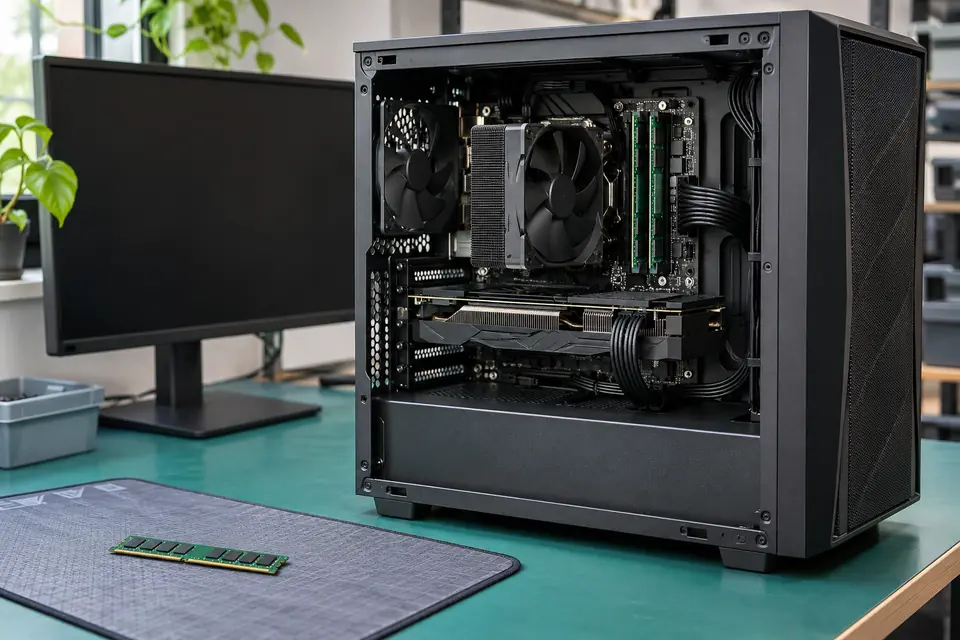
What this symptom can mean
A persistent graphics-stage indicator helps narrow a no-display startup problem, but the graphics card works as part of a larger system. Its connection, power, motherboard slot, CPU support and firmware state can affect initialization. A fan spinning or a lit case does not prove the computer has completed POST.
A known-good GPU gives the same result
Record the exact card, cables and configuration used. That comparison is valuable, but power connections, the slot and the platform still need to be assessed before condemning the motherboard.
You tried the motherboard HDMI port
Confirm that the installed CPU actually supports integrated graphics and that the board supports that output path. A connector on the motherboard is not proof that the current processor can drive it.
The problem started after an upgrade or move
A parts list and change history help distinguish compatibility and seating problems from a failure that existed before the work. Keep the original and replacement component results separate.
Safe checks before service
- Read the exact motherboard manual; LED names, colors and startup behavior vary by model.
- Verify the monitor is on the intended input and compare one known-good cable without adapters.
- Record the motherboard, CPU, GPU, memory and power-supply models for the evaluator.
- Before opening the case, shut down and disconnect power. If you are not comfortable handling components, stop at external checks.
- Never mix modular power-supply cables from different units or open the power-supply enclosure.
Several changes at once can make a temporary successful start look like a confirmed diagnosis. Do not flash an unknown BIOS, bridge connectors or repeatedly reseat a CPU to test a guess. Socket and power work need model-specific procedures.
What professional diagnosis should separate
- 01
Confirm a no-POST display problem
We separate a machine that never produces a startup screen from one that loads Windows and then loses video. Those are different troubleshooting paths.
- 02
Make controlled component comparisons
Known-good compatible hardware and an appropriate minimum configuration help isolate the failing path. Each result should be compared without silently changing the rest of the setup.
- 03
Recheck the original configuration
A PC that starts once after being disturbed needs validation in the agreed configuration. If board-level work is proposed, the evidence and scope are explained before approval.
Why a working PC after reseating is not the whole answer
If the old GPU works again after several changes, contact, installation or another altered condition may have mattered. It does not prove that both expensive parts were defective and then repaired themselves. Ask which single comparison reproduced the failure and what was checked before the original parts were called good.
A useful repair report records the tested configuration, normal startup behavior and any remaining intermittent condition. 'It reached BIOS' is a meaningful milestone, but it is not the same as checking operating-system startup, graphics load and the symptom that brought the PC in.
What to bring for DFW custom-PC diagnosis
Bring the tower, parts list and an explanation of the changes already tried. Include the original modular power cables with their own supply. Mention whether the issue happens cold, after transport, under gaming load or on every start, and whether the computer has ever worked with the current CPU and board.
Mashfix's gaming-PC evaluation can separate display, power, memory, firmware and board-related faults. Some systems need controlled bench testing rather than an onsite cable change. Important storage should stay protected while the startup hardware is investigated.
You do not need to reinstall Windows simply because a computer has no POST display. Tell the technician if the storage holds the only copy of important files, and keep storage changes separate from hardware diagnosis.
Common questions
Answers before you approve a repair
Does a VGA LED prove the graphics card is bad?
No. It is a clue about initialization. The display path, compatible hardware, power, connections and platform need controlled testing.
Why is there no display with the graphics card removed?
The motherboard video port needs a supported integrated-graphics path from the CPU. Without that capability, removing the dedicated card does not create a usable display output.
Is a successful BIOS screen enough to call the PC fixed?
It confirms that configuration can complete an early startup stage. The repair should still be checked against the original complaint and the agreed operating tests.
Need help in DFW? Compare the Dallas shop and Fort Worth shop at Suite 100, or review scheduled home and office visits. We confirm the service path, scope and timing before booking.
Product guidance and references
These manufacturer resources explain the referenced product behavior. Your model and condition still need their own assessment.