Laptop diagnostic guide
Laptop Dies When Unplugged but Shows Battery Charge
Published by MASHFiX Computer Repair and Data Recovery ·
A displayed charge percentage does not prove the battery can power the laptop. Separate battery condition, connections and charging before replacing parts.
Save work and avoid repeatedly unplugging the charger to reproduce the cutoff. Stop use if the battery is swollen, the case lifts or there is unusual heat.
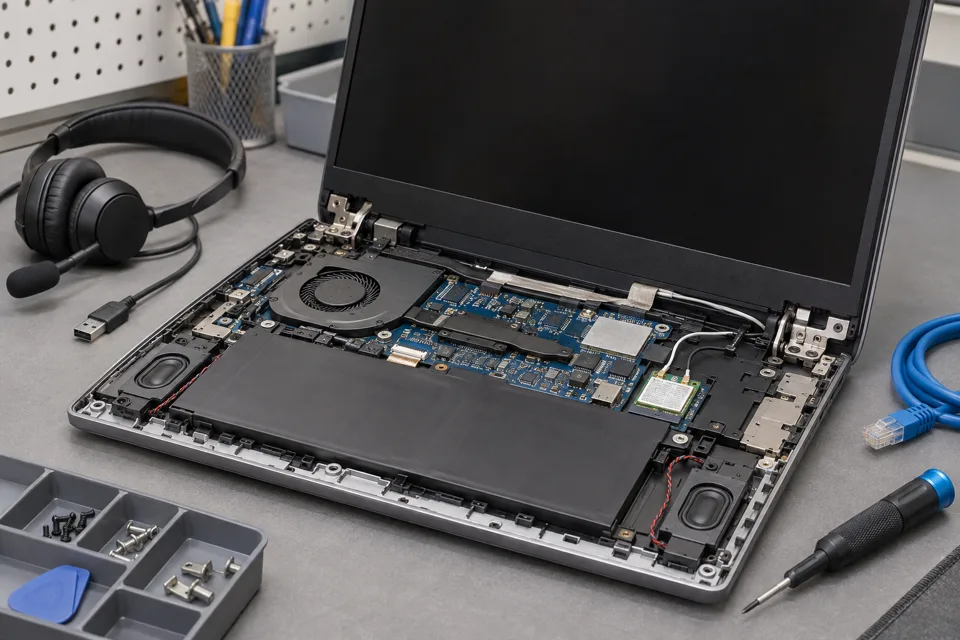
What this symptom can mean
An abrupt cutoff on removal of AC power can involve a battery that cannot supply the required current, a disconnected pack, its protection circuit or the system power path. Charging thresholds and software estimates also affect what you see. This differs from gradual overnight sleep drain.
It shuts off immediately
The system may not be receiving usable battery power. A percentage indicator alone cannot identify the failed part.
It lasts a few minutes then stops
Usable capacity and load behavior should be assessed, along with whether the reading changes abruptly.
It also stops on AC power
The fault may extend beyond the battery; charger, input and board testing may be needed.
Safe checks before service
- Record the reported charge and whether any battery warning appears.
- Bring the charger and note recent repairs or long storage.
- Keep the laptop on a stable power source only if there are no battery or electrical safety concerns.
- Review supported battery-health information without deliberately deep-discharging the device.
Unsaved work can be lost. Do not bypass battery protection, press a bulging case flat or try to revive a damaged pack with an unrelated charger.
What professional diagnosis should separate
- 01
Assess battery condition
Mashfix can compare reported health with actual behavior and visible condition.
- 02
Separate charging from delivery
The adapter can run a laptop while the battery path remains faulty; both sides deserve assessment.
- 03
Retest safely
After approved work, a controlled transition and normal battery workload should be checked without exposing important unsaved work.
What to confirm before ordering a battery
Ask whether the diagnosis supports the battery itself or a connector or board problem. Exact model, battery specification and part quality matter. A new pack will not repair every charging or switching fault.
After service, verify both charging and operation on battery under a realistic task. Runtime depends on workload and settings, so a full icon is not a universal hours guarantee. For Dallas or Fort Worth intake, call for handling advice before transporting a swollen device; ordinary shipment is not an appropriate assumption.
Avoid power-loss tests while files are open. If the computer also reports storage errors, discuss file preservation before battery experiments or Windows repair.
Common questions
Answers before you approve a repair
Does 100% charge prove the battery is healthy?
No. Charge percentage is an estimate and is different from usable capacity and the ability to supply power under load.
Need help in DFW? Compare the Dallas shop and Fort Worth shop at Suite 100, or review scheduled home and office visits. We confirm the service path, scope and timing before booking.
Product guidance and references
These technical resources explain the referenced behavior. Your device and situation still need their own assessment.