Laptop diagnostic guide
Some Laptop Keys Stop Working: Settings or Hardware?
Published by MASHFiX Computer Repair and Data Recovery ·
Separate a keyboard layout or accessibility setting from damaged keys, cables and board faults before ordering a keyboard assembly.
If the problem followed a spill, stop using the laptop and disconnect external power when safe. Otherwise compare a simple text field with another app and record which keys fail.
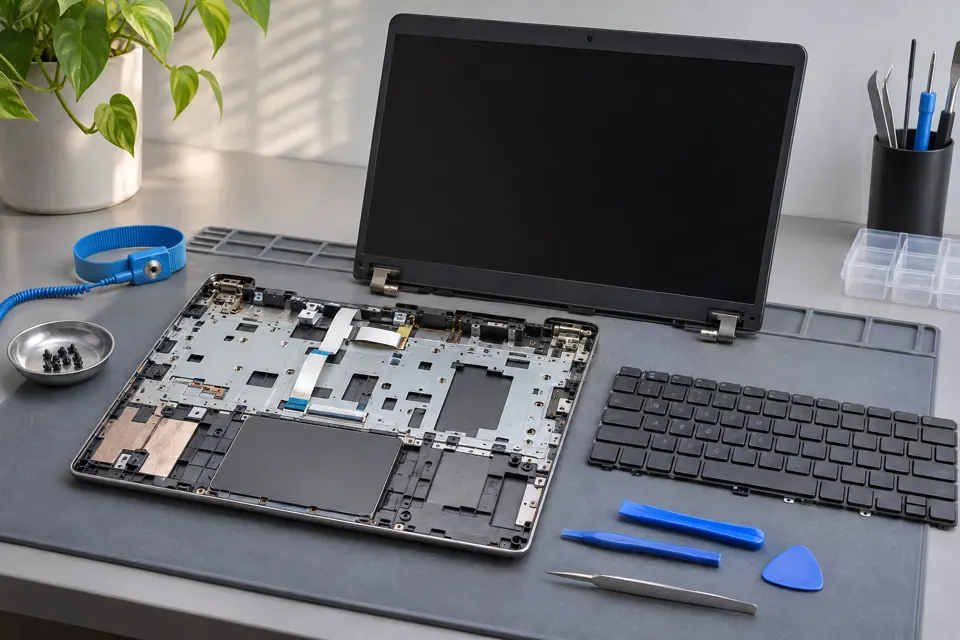
What this symptom can mean
One missing key, a group of keys failing together, repeating characters and the wrong symbol appearing are different symptoms. Layout settings, accessibility features, debris, a keyboard matrix fault, a loose cable or liquid damage can all affect input.
Wrong symbols appear
Confirm the intended keyboard language and layout before assuming that a physical switch failed.
A row or cluster fails everywhere
The keyboard assembly, connection or board input path may be involved. The pattern is useful evidence but does not identify the exact part.
An external keyboard works
This provides a temporary input path and comparison. It does not prove that only the built-in keyboard assembly is faulty.
Safe checks before service
- Use a trusted on-screen keyboard or USB keyboard if needed for safe access.
- Record failed keys without typing passwords into a test site.
- Review keyboard layout and accessibility settings you recognize.
- Shut down before external cleaning and follow the model manufacturer guidance.
Scissor mechanisms and clips can break. A removable-looking keycap may not be intended for removal, and cleaning fluid can reach connectors or the board.
What professional diagnosis should separate
- 01
Confirm the failure pattern
Mashfix can compare input across applications and supported diagnostics.
- 02
Inspect assembly and cable
Damage, contamination and connections are checked where appropriate.
- 03
Define replacement scope
Some models need a keyboard, palm rest or top-case assembly; power button and biometric functions may require separate checks.
Prepare for a keyboard quote
Provide the exact model, keyboard language, backlight option and any spill history. Do not buy a part only from a photograph: mounting, layout and connector details may differ. If the case or battery is lifting, that concern takes priority over a missing key.
Ask whether the quote covers the affected assembly and which functions will be checked afterward. Test normal typing, modifiers, backlight and any related controls relevant to the model. A keyboard repair is not permission to reset the computer, remove account security or erase data.
Share the symptom without sending passwords or PINs. Arrange any necessary device access privately after the service scope is agreed.
Common questions
Answers before you approve a repair
Does an external keyboard fix the laptop?
It can be a useful workaround. It does not repair the internal keyboard, cable or associated board fault.
Need help in DFW? Compare the Dallas shop and Fort Worth shop at Suite 100, or review scheduled home and office visits. We confirm the service path, scope and timing before booking.
Product guidance and references
These manufacturer resources explain the referenced product behavior. Your model and condition still need their own assessment.