Laptop diagnostic guide
Coffee Spilled on a Laptop: Repair or Save the Files First?
Published by MASHFiX Computer Repair and Data Recovery ·
A laptop that looks dry can still need inspection after a spill. Separate immediate handling, board repair and data recovery before another startup attempt.
Stop using the laptop and disconnect its charger when you can do so safely. If it is running and safe to touch, shut it down. Do not connect power again just to see whether it has dried. Tell the repair provider immediately if important files have no backup.
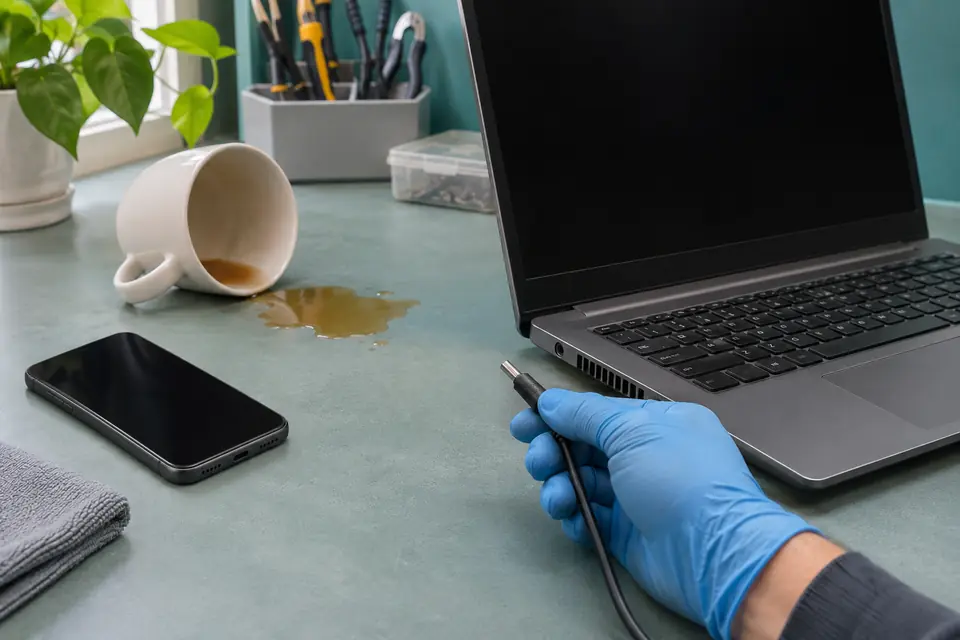
What this symptom can mean
A spill can affect the keyboard, connectors, charging circuits, motherboard and storage differently. A computer may continue working briefly, fail later, or remain off from the start. The amount visible on the outside does not establish what reached the circuitry. Coffee residue and the original damage must be assessed before reliability can be judged.
It was off when the spill happened
That history is useful, but it does not establish that every internal circuit was disconnected from a battery or charger. Keep the device off for assessment rather than attempting a test start.
It worked, then stopped the next day
Describe the whole timeline. Delayed keyboard, charging or startup symptoms can change the inspection priorities; the technician should not assume a simple keyboard replacement explains them all.
The laptop has the only copy of your files
Make recovery a separate decision from making the computer usable. A replacement computer may solve the equipment need while the original board or storage still matters for the files.
Safe checks before service
- Keep liquids away from wall power and do not handle a wet adapter or cable if there is an electrical hazard.
- Disconnect external equipment and avoid repeated power-button or charging tests.
- Do not open the case or remove an internal battery unless you are trained to do so safely for that exact model.
- Record the liquid, approximate amount, affected area, time of spill and every startup attempt since it happened.
- Check an existing cloud or external backup from another safe device; do not power the wet laptop to create one.
Do not apply a hair dryer, oven heat, cleaning spray or rice as a substitute for assessment. If the laptop is unusually hot, swollen, leaking, smoking or smells electrical, stop handling it and seek appropriate safety assistance before transport.
What professional diagnosis should separate
- 01
Isolate power and inspect exposure
A controlled inspection checks the affected assemblies and the board for residue or corrosion. Cleaning is a proposed step, not proof that damaged components have recovered.
- 02
Decide what must be preserved
Storage design, encryption and the files you need influence whether the next approved work is data recovery, board-level repair, replacement equipment or a combination.
- 03
Test the agreed functions
If repair is practical, testing should cover the affected charging, keyboard, display and startup behavior. Any remaining risk or untested function belongs in the handoff discussion.
When a new laptop does not solve the data problem
Buying a replacement does not bring across files that exist only on the damaged machine. Some computers have removable storage; others depend on integrated or encrypted storage and the original electronics. Ask what must remain intact before authorizing a motherboard exchange or disposing of the old device.
A useful priority list is specific: the current accounting file, a tax folder, or several years of photos. Explain whether another copy exists and whether it was checked. That lets the evaluator discuss a realistic plan rather than treating a successful Windows installation as a successful recovery.
How to arrange repair in Dallas–Fort Worth
Describe the spill before carrying the device to a branch or arranging pickup. Bring the original charger only if it can be handled safely, and tell us if the adapter was wet too. For an onsite request, explain the device condition first so the team can decide whether it needs bench equipment.
Mashfix can assess liquid-damaged laptops and discuss precision board work or recovery where appropriate. Liquid-damage repairs are excluded from the Mashfix repair warranty; read the full terms and the proposed scope before approving work. There is no guaranteed repair or recovery outcome from the description alone.
Do not approve an erase, Windows reinstall or disposal of the original parts until the data plan is understood. Recovery feasibility and the value of repairing the laptop are separate questions.
Common questions
Answers before you approve a repair
Should I wait 24 hours and try turning it on?
A waiting period alone does not establish that internal residue or component damage is resolved. Keep a spill-damaged laptop off and arrange assessment, especially when the data matters.
Can replacing the keyboard fix liquid damage?
It may address a keyboard fault, but charging circuits, connectors and the motherboard can have separate damage. The inspection needs to define the actual scope.
Does Mashfix's 30-day warranty cover liquid-damage repair?
No. Liquid-damage repairs are excluded from the Mashfix repair warranty. Review the liquid-damage acknowledgment and full repair terms before approval.
Need help in DFW? Compare the Dallas shop and Fort Worth shop at Suite 100, or review scheduled home and office visits. We confirm the service path, scope and timing before booking.
Product guidance and references
These manufacturer resources explain the referenced product behavior. Your model and condition still need their own assessment.