Gaming PC power diagnostic guide
Replacing a Modular PSU: Can You Reuse the Cables?
Published by MASHFiX Computer Repair and Data Recovery ·
Check exact power-supply cable compatibility before a replacement; similar-looking connectors do not establish a safe electrical match.
Do not power the PC with an unverified modular cable set. Keep the original cables with their original PSU, and identify both exact models before moving any connections.
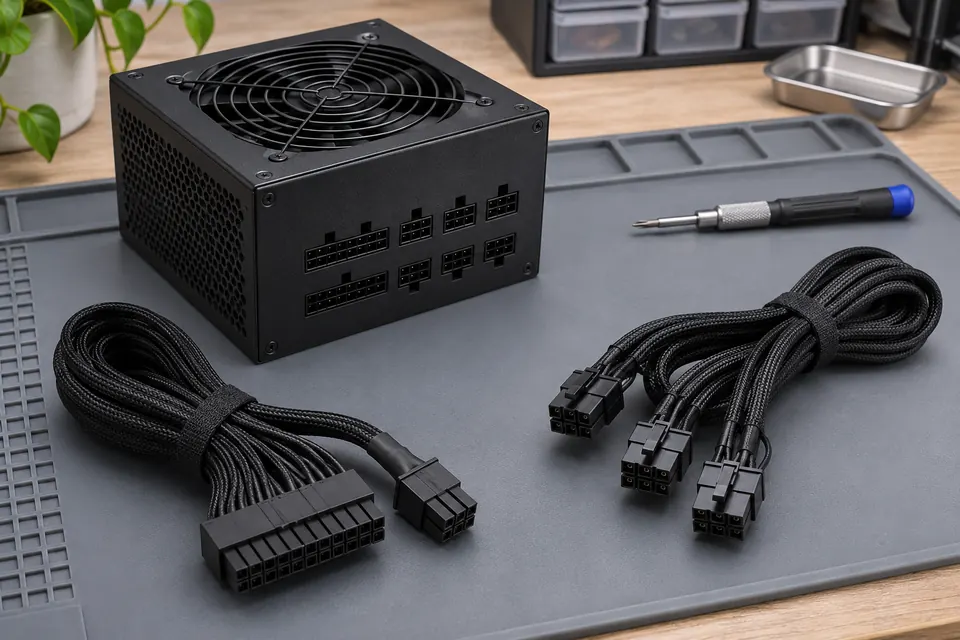
What this symptom can mean
Modular cables connect to a manufacturer-specific PSU-side arrangement. Physical fit is not proof of compatible wiring, even when two supplies share a brand. A replacement wattage rating also says nothing about whether the old cables are suitable.
The new supply fits the old cable plugs
Stop and verify the exact compatibility documentation. A connector fitting is not an electrical test.
The PC was already powered with mixed cables
Disconnect power safely and report exactly what was connected. Do not keep trying different cable combinations to see which one starts.
Safe checks before service
- Record complete model and revision information from both sealed supplies.
- Keep CPU, GPU, motherboard and peripheral leads organized by their original supply; do not identify compatibility by color alone.
- Use only cables explicitly designated compatible by the manufacturer for that model.
Do not open a PSU, probe its mains side, force connectors or adapt unknown modular wiring. Internal hazardous energy is a separate risk from an unplugged computer. If there is burning, damaged insulation or an electrical smell, stop use.
What professional diagnosis should separate
- 01
Identify the cable set
Mashfix can review the supply models and supported cable documentation before installation.
- 02
Assess the existing fault
A no-power PC may also have motherboard or connected-device damage. A new PSU is not proof the rest of the system is healthy.
- 03
Verify the approved repair
After installation, check startup and the relevant workload in the agreed configuration. Keep the correct cable set documented for future service.
Bring the cables that belong to the supply
If you bring a tower for power diagnosis, bring the original supply and its own cables when safe, with an accurate list of previous swaps. Tell the team whether the fault preceded replacement or appeared after it. That timeline affects which components need assessment.
Mashfix can evaluate gaming-PC power and motherboard symptoms. A supply warranty claim belongs with the manufacturer and does not automatically establish a board diagnosis. Quotes and parts decisions follow the actual evaluation.
Important storage may have been connected during a power fault. Mention the files before repeated startup attempts or replacement work; data recovery may need separate evaluation.
Common questions
Answers before you approve a repair
Are modular cables interchangeable within one brand?
Not universally. Check the exact model and documented cable type.
Can I test compatibility by plugging it in briefly?
No. A brief power attempt can still damage equipment. Verify before energizing.
Need help in DFW? Compare the Dallas shop and Fort Worth shop at Suite 100, or review scheduled home and office visits. We confirm the service path, scope and timing before booking.
Product guidance and references
These technical resources explain the referenced behavior. Your device and situation still need their own assessment.