Internal SSD performance diagnostic guide
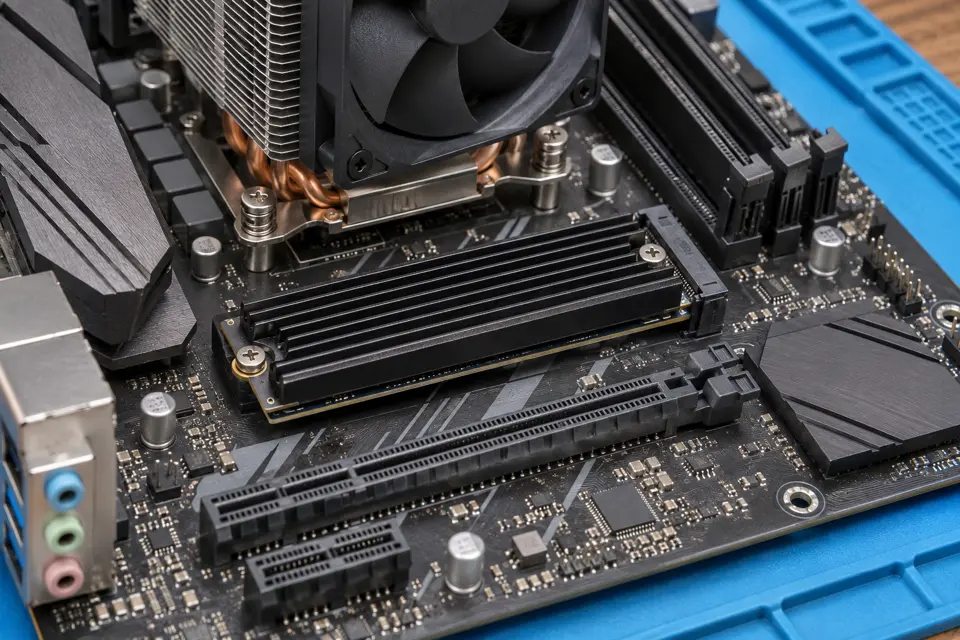
NVMe SSD Slows as It Heats Up: Cooling or Another Limit?
Published by MASHFiX Computer Repair and Data Recovery ·
A long copy slowing down does not automatically mean SSD overheating. Compare temperature, workload and health before adding hardware or running more benchmarks.
If the drive holds unique important files or reports errors, preserve the data before performance testing. On a stable backed-up system, record the drive model, workload, time to slowdown and available temperature readings.
What this symptom can mean
NVMe firmware can reduce performance to manage heat, but sustained-write cache limits, free space, source speed and background work can also affect throughput. A high reported temperature and a slow copy happening together do not prove a single cause.
Slowdown tracks rising temperature
Cooling and supported installation deserve review, while other limits remain possible.
Speed drops after a similar amount of data
Cache behavior may matter. Manufacturer specifications and workload context help interpret this.
Drive disconnects or logs errors
This is more serious than a benchmark score. Stop repeated tests and use a data-first evaluation.
Safe checks before service
- Check the exact drive and computer thermal guidance.
- Record which sensor is reported and the observed workload.
- Inspect airflow externally and note recent component changes.
- Check usable free space and whether the source drive is the actual transfer bottleneck.
Do not run repeated full-drive writes on an unstable source, install a heatsink that prevents safe case closure or stack thermal pads blindly. Avoid firmware updates as a first experiment on the only copy of important files.
What professional diagnosis should separate
- 01
Confirm the limiting condition
Mashfix can compare workload, thermal behavior and device-health evidence.
- 02
Review physical fit
A supported heatsink or pad arrangement must suit the drive, slot, surrounding components and enclosure.
- 03
Verify normal use
Testing should reproduce the relevant workload within safe limits; a brief peak-speed result is not a complete stability assessment.
Choose the service path from the symptoms
A desktop with steady performance errors needs a different approach from a laptop that simply slows during a large export. Include the SSD model, approximate free space, recent upgrades and exact error messages. Avoid sending private directory listings when a simple workload description is enough.
Mashfix can assess storage performance and cooling in existing DFW repair locations. A thermal improvement is useful only when the evidence supports heat as a constraint. If the source is failing, recovery and replacement planning may take priority over tuning, and no added heatsink can reverse missing or damaged data.
Keep a verified backup before sustained testing. Performance tuning and data recovery are distinct goals; prioritize the files if stability is uncertain.
Common questions
Answers before you approve a repair
Does every NVMe SSD need an aftermarket heatsink?
Follow the actual drive and system guidance; fit and operating conditions matter.
Does a slower long write prove a failing SSD?
No. Cache, source speed and thermal control are possible explanations, but errors or disappearances need separate evaluation.
Need help in DFW? Compare the Dallas shop and Fort Worth shop at Suite 100, or review scheduled home and office visits. We confirm the service path, scope and timing before booking.
Product guidance and references
These technical resources explain the referenced behavior. Your device and situation still need their own assessment.