Firmware diagnostic guide
PC BIOS Update Failed: Recovery Before Replacement
Published by MASHFiX Computer Repair and Data Recovery ·
A PC that stops starting after a firmware update needs model-specific recovery assessment, not an automatic Windows reinstall or motherboard replacement.
If a firmware update is still visibly progressing, do not interrupt it. If it has already failed, record the exact model, update file and screen or light pattern before attempting a recovery procedure.
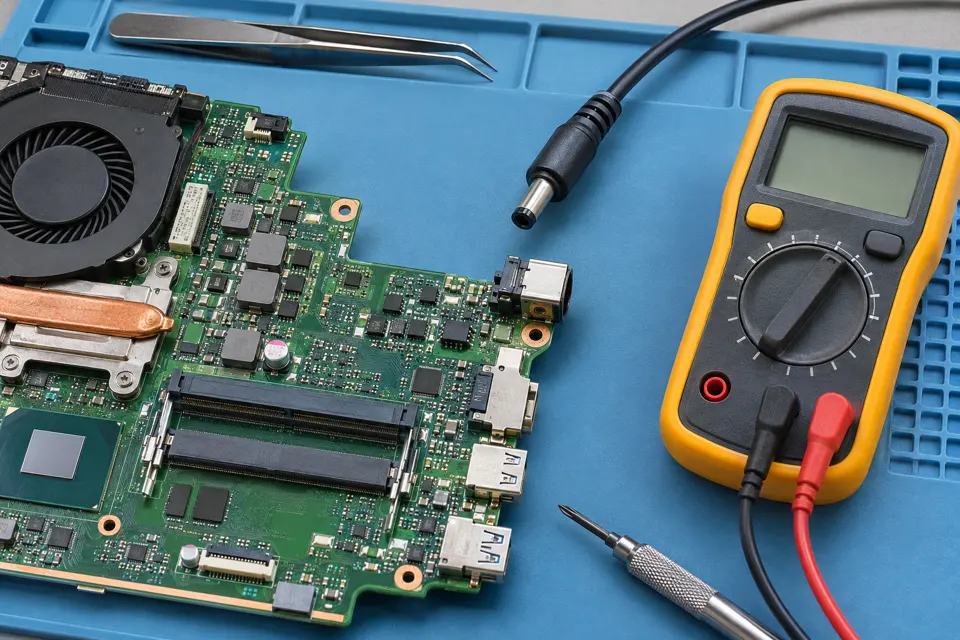
What this symptom can mean
Firmware starts the hardware before Windows loads. A failed update can leave the PC unable to complete its initial checks, but a black screen after an update is not proof that firmware is the only fault. Power, display and hardware problems can produce a similar result.
The recovery screen appears
Use only the manufacturer's procedure for that exact model. File naming, USB preparation and recovery support vary; a method for a different laptop may be inappropriate.
The machine has no normal startup screen
Record fans, lights and any repeating pattern. Lack of video alone does not establish whether the firmware chip, power path or another component needs work.
Safe checks before service
- Keep the original charger or power supply with the device and note any outage during the update.
- Save the firmware filename and where it came from; do not download a substitute from a forum attachment.
- Find the exact manufacturer support page using the complete model identifier. Keep serial numbers private in public screenshots.
Do not repeatedly flash different files, short chip pins, change security settings at random or erase the drive to test a pre-Windows failure. Recovery may reset settings and introduce an encryption-key requirement.
What professional diagnosis should separate
- 01
Confirm the failed stage
Mashfix can compare the update history with power and startup evidence before selecting a firmware or board diagnostic path.
- 02
Assess supported recovery
Model-specific recovery is considered before invasive board work. Not every PC supports the same recovery feature.
- 03
Verify the original setup
After approved work, check normal startup, required boot settings and operating-system access rather than counting a logo as a complete repair.
What to include in the request
State whether the update was started from Windows, firmware setup or a vendor utility, and whether power was lost. Mention any hardware change made at the same time. A clear sequence is more useful than several unrecorded recovery attempts.
Mashfix can assess firmware and motherboard symptoms through its DFW repair service. Bench work may be necessary. Component replacement, programming and file access depend on the model and actual findings; recovery is not guaranteed.
Keep the original storage intact. Firmware repair is not permission to reset Windows or clear encryption protections. Have the authorized owner available for private recovery prompts.
Common questions
Answers before you approve a repair
Will reinstalling Windows fix a failed BIOS update?
Not when the PC cannot complete the firmware startup stage. Establish where startup stops before writing to storage.
Does a failed update mean I need a new board?
Not necessarily. Supported recovery and the hardware condition should be assessed before replacement is proposed.
Need help in DFW? Compare the Dallas shop and Fort Worth shop at Suite 100, or review scheduled home and office visits. We confirm the service path, scope and timing before booking.
Product guidance and references
These technical resources explain the referenced behavior. Your device and situation still need their own assessment.