Printer mechanics diagnostic guide
Printer Grinds While Feeding Paper: Stop or Test?
Published by MASHFiX Computer Repair and Data Recovery ·
A new grinding or repeated clicking noise calls for paper-path checks, not another driver install. Record when it happens before ordering rollers.
Cancel the job if loud grinding continues. Switch the printer off and follow its model-specific unplugging and access instructions before inspecting user-accessible paper paths.
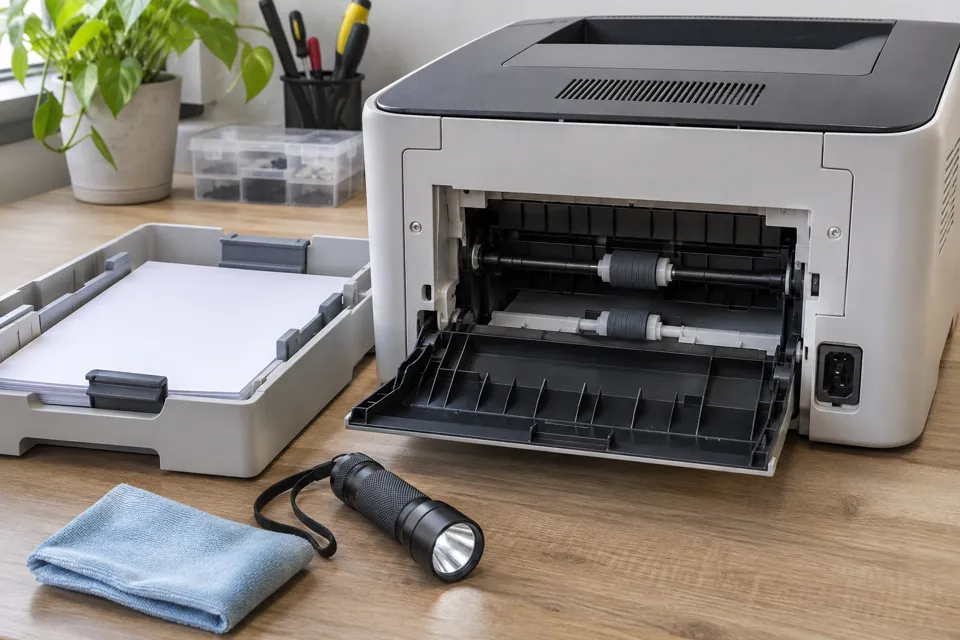
What this symptom can mean
Noise can come from paper obstruction, feed rollers, tray seating, a moving carriage or a drive mechanism. Inkjet and laser printers have different internals. A successful print after cleaning does not by itself prove which part was faulty or that every tray and duplex path is reliable.
Noise as the sheet enters
Record which tray feeds the page and whether pickup succeeds, slips or grabs multiple sheets.
Noise during two-sided printing
The duplex route can differ from single-sided feeding. Do not assume both paths share the same faulty part.
Noise without paper moving
Stop repeated attempts and note whether the printer is initializing, moving its carriage or showing an error.
Safe checks before service
- Check the supported paper size and tray guides without overfilling.
- Look for torn scraps in accessible areas with the printer safely disconnected.
- Reseat only user-removable trays or covers as the manual directs.
- If the noise is gone and testing is safe, compare a small single-sided job from each supported tray and record the result.
Do not reach into moving mechanisms, force gears, use sharp tools or spray household lubricant. Laser-printer hot areas require the manual cooling procedure. Repeated grinding warrants service.
What professional diagnosis should separate
- 01
Locate the path
Mashfix can document tray, feed and duplex behavior rather than replace every roller by guesswork.
- 02
Inspect accessible mechanics
Roller condition, seating, obstructions and damaged parts are evaluated within the supported service scope.
- 03
Verify the result
A repeatable paper test should cover the originally failing route and appropriate paper, rather than only one demonstration page.
When an onsite visit is useful
A home or office setup may contain multiple trays, special paper and a shared print queue. Include the printer model, approximate page volume and a short recording of the noise when safe. State whether the problem occurs from every computer or from the printer’s own page; a mechanical noise on an internal print test is useful evidence.
Mashfix can review the request for a scheduled Dallas, Fort Worth or surrounding DFW visit. Parts availability and mechanical repair suitability depend on the actual printer. Cleaning may improve feeding, but a proposed roller replacement should explain the observed wear or repeatable fault. No guaranteed repair or replacement schedule follows from a noise description alone.
Printer mechanics usually do not require changing computer files. Preserve saved scan destinations and administrative settings before any separately approved reset.
Common questions
Answers before you approve a repair
Does temporary improvement prove the rollers need replacement?
No. Cleaning or reseating can change behavior. The recommendation should connect observed wear or test results to the proposed part.
Should I reinstall the driver for grinding?
A driver reinstall does not remove a physical obstruction or repair a gear. Establish whether the noise occurs during the printer’s own feed cycle.
Need help in DFW? Compare the Dallas shop and Fort Worth shop at Suite 100, or review scheduled home and office visits. We confirm the service path, scope and timing before booking.
Product guidance and references
These technical resources explain the referenced behavior. Your device and situation still need their own assessment.