Tell us the symptoms
Describe what changed, what you already tried and whether important files exist anywhere else.
Denton · Repair & scheduled onsite support
Denton residents, students and businesses can arrange laptop, Mac and data-recovery diagnostics through Mashfix Irving, or request a scheduled visit for computer and printer setup.
For computer setup, printers, Wi-Fi or several connected devices in Denton, request a scheduled visit. Include your address and what needs help so Mashfix can confirm availability before you move equipment.
One destination
Bring the charger and note any error message. For a school-owned device, check the school’s repair policy before approving outside work.
Priority services
If the device has both a hardware fault and files that are not backed up, tell Mashfix about the files first.
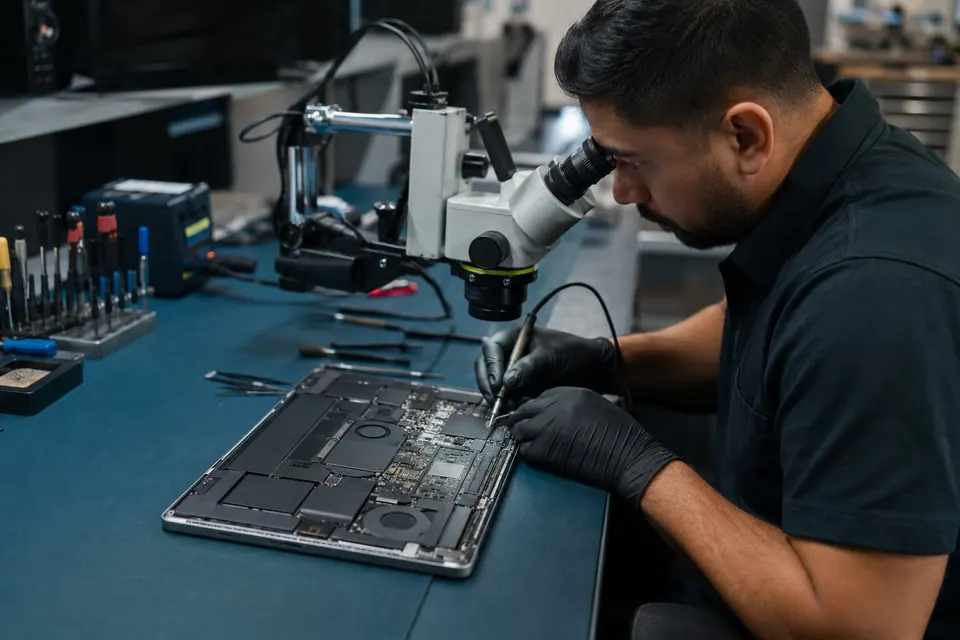
Screen, hinge, keyboard, battery, charging and startup problems, with model matching before parts are ordered.
View service details →02Start here for important files on an inaccessible hard drive, SSD, NVMe drive, USB device or computer that will not boot.
View service details →03Request an onsite visit for computer setup, printers, Wi-Fi and equipment that needs to be tested in its normal environment.
View service details →Professional service
If a laptop used for classes, work or research stops starting, explain where the important documents are saved and whether another copy exists. A startup error does not establish that the files are lost. The first decision is whether storage evaluation should precede Windows, macOS or hardware repair.
For customers near UNT, TWU or elsewhere in Denton, confirm the model, symptoms and likely intake requirements with Irving before making the trip. A deadline helps Mashfix explain the available schedule; parts availability and diagnosis still determine the turnaround. Home or office setup requests are reviewed by address before a visit is confirmed.
Describe what changed, what you already tried and whether important files exist anywhere else.
Bring the device and charger. Call before carrying large peripherals or equipment that may not be needed.
Mashfix explains the diagnosis, service options, pricing, timing and data risk before approved work.
Power the device off. Avoid formatting, repair utilities, opening the drive or repeated startup attempts. Continued testing can make some recoveries more difficult.
Plan your Irving visit
This request identifies you as a Denton customer and selects the Mashfix Irving location. Mashfix will follow up about the correct service path and any appointment details. Do not include passwords or other sensitive information.
Before you visit
Visit Mashfix Irving at 4324 N Belt Line Rd, Suite C103, Irving, TX 75038. The branch phone is 682-274-0166, and the posted hours are 9 AM–8 PM, 7 days a week.
No. This is a service-area page that directs Denton customers to the actual Mashfix Irving storefront. The address, branch phone and directions on this page all point to Irving.
Walk-ins are welcome at the Irving location. Calling first is useful for model-specific parts, eligible Apple repairs, large desktop systems or a device containing important files. A request form does not confirm an appointment until Mashfix follows up.
Yes. Send your Denton address or ZIP code, equipment and symptoms for a scheduled home or business visit. Mashfix confirms coverage, availability and the work before an appointment. Hardware disassembly, board repair and advanced data recovery may need a repair-location visit.
If the device contains irreplaceable files and the drive clicks, disappears, was dropped or is not detected, stop using it and begin with a recovery evaluation. If the data is safely backed up, ordinary repair diagnostics may be the appropriate first step.
Yes. Call Irving with the model, symptoms and deadline so the team can explain the next step. Physical hardware faults usually require the device for diagnosis; an initial request cannot confirm repair time or parts stock.