Laptop diagnostic guide
Laptop Battery Not Detected After Replacement
Published by MASHFiX Computer Repair and Data Recovery ·
When a new battery disappears from Windows, compare firmware recognition and repair history before replacing parts or changing drivers.
Save your work while the laptop has stable external power. Record the exact message: “no battery detected” is different from a battery showing zero percent or a charging limit. If this began immediately after replacement, tell the installer before opening the laptop again.
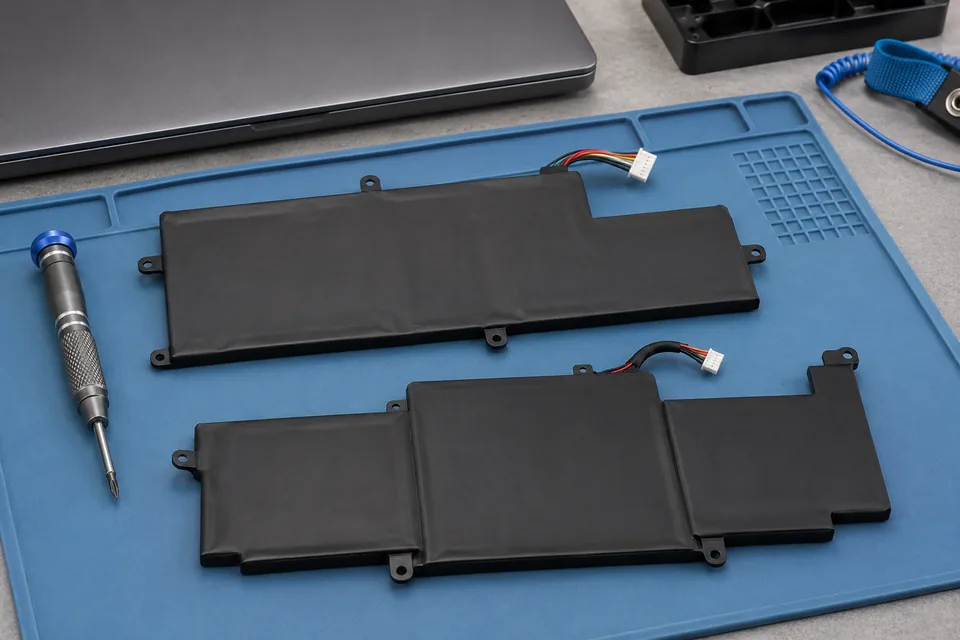
What this symptom can mean
A battery can be physically present while the computer does not identify it correctly. The replacement pack, its connection, the laptop’s battery communication path and the operating system’s reporting are separate possibilities. A laptop running from its adapter does not establish that its battery is connected, recognized or capable of powering the system.
Windows shows no battery, but firmware identifies one
This comparison directs attention toward operating-system reporting and model-specific software checks. It does not prove that the pack is healthy or that deleting a device entry will fix the problem. Record the firmware’s battery information without changing settings.
Neither firmware nor Windows identifies the replacement
A connection, replacement-part issue or hardware communication fault deserves evaluation. Confirm the exact laptop model and replacement part with the installer; do not assume that an advertised compatible model list settles the diagnosis.
Safe checks before service
- Note whether the old battery was recognized before the work and whether anything else changed during the same repair.
- If you already know how to open the manufacturer’s firmware information screen, read the battery status only. Otherwise ask the technician to perform that comparison.
- Keep the replacement invoice, part number and any diagnostic message. Use the manufacturer’s support page for the exact model rather than a generic driver-download site.
Stop using the laptop if the case lifts, the pack becomes unusually hot or there is an electrical odor. Do not press a swollen case closed, bridge connector contacts or repeatedly unplug and reconnect an internal battery.
What professional diagnosis should separate
- 01
Establish where recognition stops
Mashfix can compare firmware information with Windows reporting and record whether the symptom existed before the replacement. That gives a more useful starting point than replacing another battery immediately.
- 02
Inspect the repair path
With power made safe, a technician can assess the replacement identity, connector and relevant board connections. A damaged socket needs a different repair plan from a software reporting problem.
- 03
Choose a supported correction
Dell documents different paths for an undetected battery and one that is detected but will not charge. Any driver, firmware or hardware action should follow the exact model’s guidance and stable-power requirements.
Arrange the right assessment in DFW
For a Dallas or Fort Worth inquiry, describe this as a battery-recognition problem and mention the recent replacement. Include the laptop model and whether it still runs reliably on external power. Mashfix can discuss the appropriate assessment and visit option; an internal connector inspection may require bench work. There is no need to send passwords or private documents in the initial inquiry.
An undetected battery can leave the computer dependent on its adapter. Back up important files while power is stable. Do not disconnect the adapter as a test when unsaved work is open; a sudden shutdown provides little useful evidence and can interrupt writes.
Common questions
Answers before you approve a repair
Should I uninstall the ACPI battery device in Device Manager?
Not as a universal first step. A manufacturer may include that procedure for a particular reporting fault, but it cannot correct a loose connector, wrong pack or damaged board connection. Compare firmware recognition first.
Does “not detected” mean the replacement battery is defective?
It is one possibility, not a confirmed result. The timing of the repair, exact replacement and recognition in firmware help separate a pack issue from the laptop’s connection or reporting path.
Need help in DFW? Compare the Dallas shop and Fort Worth shop at Suite 100, or review scheduled home and office visits. We confirm the service path, scope and timing before booking.
Product guidance and references
These technical resources explain the referenced behavior. Your device and situation still need their own assessment.