Battery diagnostic guide
Choosing a Compatible Replacement Laptop Battery
Published by MASHFiX Computer Repair and Data Recovery ·
A matching shape is not enough for a battery order. Confirm the laptop configuration, supported part and repair scope before installation.
Before buying a battery, record the laptop’s complete model and the problem you want to resolve. Use accessible product information or purchase records; do not open a swollen enclosure or remove a battery merely to read its label.
What this symptom can mean
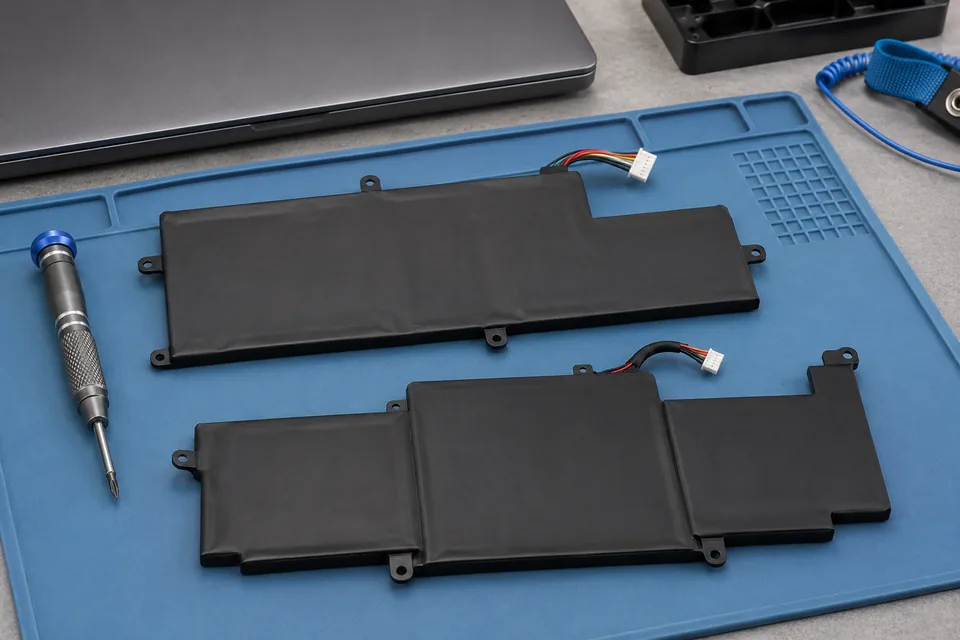
Battery selection involves the supported pack and computer configuration, not just a familiar brand name or a similar photograph. Part identification, electrical specification, connector arrangement and physical fit need to agree. A charging problem can also involve the adapter, connector or board, so ordering a pack is a separate decision from diagnosing the original symptom.
A listing says it fits the laptop family
A family can contain multiple configurations. Ask which exact supported part the quote supplies and how compatibility was established rather than relying on a broad sales title.
A higher-capacity battery looks attractive
Capacity alone does not establish that the pack is an approved fit. A larger pack may involve different physical requirements, and a claimed longer runtime does not verify quality or suitability.
Safe checks before service
- Keep the full model and original purchase configuration available. Share serial numbers privately with the repair provider rather than in public comments.
- Describe whether the laptop runs on AC, shuts down when unplugged, stops charging at a set level or has visible swelling. These are different observations.
- Ask for the proposed battery’s part identification and the functions included in the post-installation checks.
Do not splice wires, force a connector, bend a pack, modify mounting points or try an unverified voltage to see whether the computer accepts it. Stop use and charging if the battery is swollen, damaged or unusually hot.
What professional diagnosis should separate
- 01
Confirm the replacement specification
Mashfix can identify the machine’s supported battery configuration and review the proposed part before installation. Matching appearance is a starting clue, not a compatibility decision.
- 02
Separate the original fault
Battery condition and the relevant charging path can be evaluated. A replacement should not be presented as a certain cure when the reported behavior could involve another component.
- 03
Agree on verification and scope
Ask what will be checked after service, such as recognition, charging behavior and operation without AC when safe. Actual runtime depends on workload, settings and condition; a capacity label is not a guaranteed number of hours.
Make the quote useful before ordering
For Dallas–Fort Worth battery service, provide the full model, symptom and any previous battery replacement history. Ask whether the quote is for restoring the original supported configuration. Keep the removed part until identification and the agreed repair are verified, while allowing the provider to handle unsafe batteries appropriately.
Battery service should not require deleting files. State your data priority before unrelated operating-system changes are proposed, and keep a backup when the laptop is stable enough to make one safely.
Common questions
Answers before you approve a repair
Can two batteries with similar numbers have different specifications?
Yes. Confirm the exact supported part and specification rather than inferring compatibility from a partial code or similar case.
Does a new battery fix every laptop that only works plugged in?
No. A worn pack is one possibility, but charging, connection or board faults may also matter. Diagnosis should support the replacement decision.
Need help in DFW? Compare the Dallas shop and Fort Worth shop at Suite 100, or review scheduled home and office visits. We confirm the service path, scope and timing before booking.
Product guidance and references
These technical resources explain the referenced behavior. Your device and situation still need their own assessment.