Phone diagnostic guide
Phone Will Not Turn On After Water Exposure: Protect Your Photos
Published by MASHFiX Computer Repair and Data Recovery ·
A wet phone that no longer starts needs a different plan from a routine charging-port warning. Put the photos and original device ahead of another charge attempt.
Unplug the phone and stop trying to charge or restart it after liquid exposure. If it is on and safe to handle, power it off. Check any existing photo backup from another device and tell the evaluator what is missing before approving a reset or replacement.
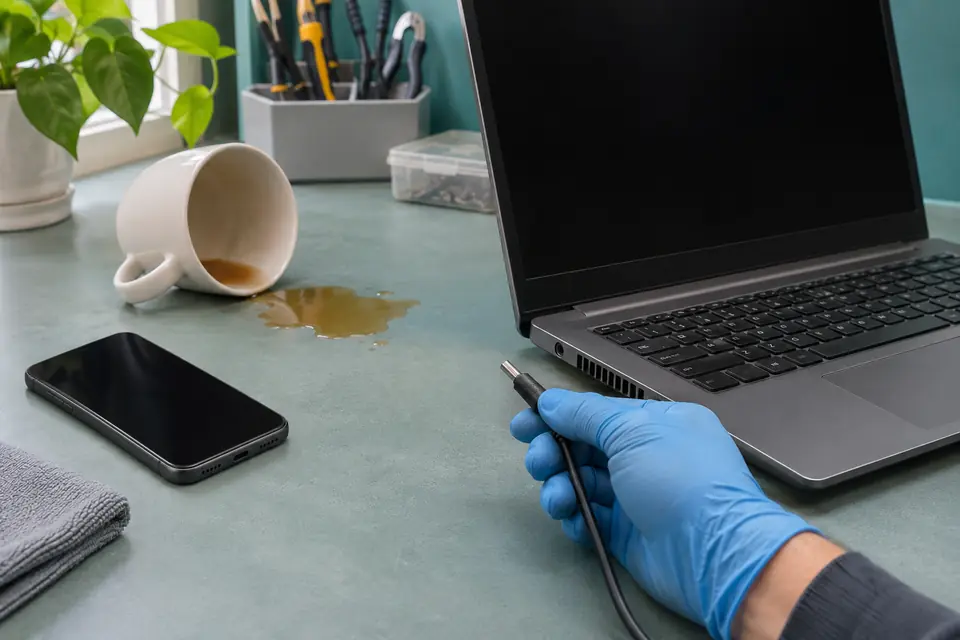
What this symptom can mean
A liquid-detection message concerns moisture at a connector or accessory. A phone that has shut down, heated up or stopped responding after immersion may have a wider fault. Drying a connector does not establish that the battery, board or storage path is undamaged. The repair decision depends on the exact model and exposure history.
The phone works but shows a connector alert
Follow the manufacturer's drying guidance for that model. Keep the cable disconnected while the connector is wet. This situation should not be treated as proof that internal immersion damage has been ruled out.
The phone became unresponsive after a spill
Keep it off and describe any heat, screen change or repeated reboot. Do not use a different charger or wireless charging merely to test whether an exposed, failed device will wake up.
You need photos that are not in a backup
Keep the original phone and parts. A replacement handset or board is not the same as obtaining readable data from the original encrypted device.
Safe checks before service
- Use another trusted device to check whether a recent cloud backup actually contains the important photos or contacts.
- Record the phone model, liquid type, exposure time and whether it was charging when the event happened.
- Do not insert objects into the port, use heat or compressed air, or put the phone in rice.
- Do not enter recovery-mode erase or restore steps as a test when the files are the priority.
- Tell the service provider about unusual heat or swelling before moving or dropping off the phone.
An apparently dry back or a dismissed alert does not prove that a liquid-damaged, nonworking phone is safe to power. Avoid repeated tests and do not press on a swollen case. An unsafe battery condition takes priority over accessing the files.
What professional diagnosis should separate
- 01
Assess exposure and safe handling
The condition of the connector, battery, internal assemblies and board informs what can be evaluated. Phone models and damage patterns differ, so a universal component replacement is not assumed.
- 02
Separate repair from data access
We discuss whether the goal is a dependable daily phone, limited access to retrieve files, or both. Integrated storage and encryption can make the original electronics important.
- 03
Confirm the proposed recovery scope
Any board-level work or referral should be explained with its limits, price and risk before approval. When files can be returned, the requested material should be checked on a separate destination.
What the iPhone drying guidance does and does not cover
Apple advises disconnecting a wet cable and avoiding heat, objects in the connector and rice. Its connector-alert guidance allows drying time, but it is not a guarantee for a phone that was immersed or no longer operates. If the phone has already failed after liquid exposure, describe that failure rather than repeatedly following a charging test.
Android models have their own moisture and service instructions. Do not assume a step written for one connector, model or water-resistance rating applies to another device. A previous repair or drop is useful history to mention at intake.
Plan the handoff around the files you need
List the important material without attaching it to the quote form: recent photos, a particular contact list or an app's local records. Explain whether you know the screen passcode and whether the device is linked to your own account; keep the actual credentials private until a safe, agreed access arrangement is necessary.
Mashfix can review selected phone liquid-damage and data-recovery cases in DFW, subject to model and condition. Recovery and durable repair are not promised from a photo or symptom report. Liquid-damage repairs have no Mashfix repair warranty; ask about the full recovery policy separately.
Modern phone data can be tied to encryption and the original hardware. Replacing a board or installing fresh software does not automatically bring back the old photos. Do not discard the original phone until the recovery decision is complete.
Common questions
Answers before you approve a repair
Can rice fix a phone that fell in water?
No. It is not a reliable repair method, and Apple warns that particles can damage the connector. Keep the exposed phone disconnected and follow model-specific guidance or arrange assessment.
Will a factory reset recover my photos?
No. A reset removes local data rather than recovering it. Check an existing backup from another device before considering any erase.
Does a new charging port guarantee recovery?
No. A connector may be only one damaged part. Battery, board, storage, encryption and prior attempts can affect feasibility.
Need help in DFW? Compare the Dallas shop and Fort Worth shop at Suite 100, or review scheduled home and office visits. We confirm the service path, scope and timing before booking.
Product guidance and references
These manufacturer resources explain the referenced product behavior. Your model and condition still need their own assessment.