Gaming PC diagnostic guide
PSU Tester Passes but the PC Shuts Down: Test Limits
Published by MASHFiX Computer Repair and Data Recovery ·
A PSU tester result describes its test conditions. It does not establish stability in every workload or rule out cables, cooling and other PC faults.
Record exactly which tester was used, what it measured and whether the PSU was tested alone or while powering the PC. Stop for burning odor, damaged connectors, smoke or unusual heat instead of repeating shutdown tests.
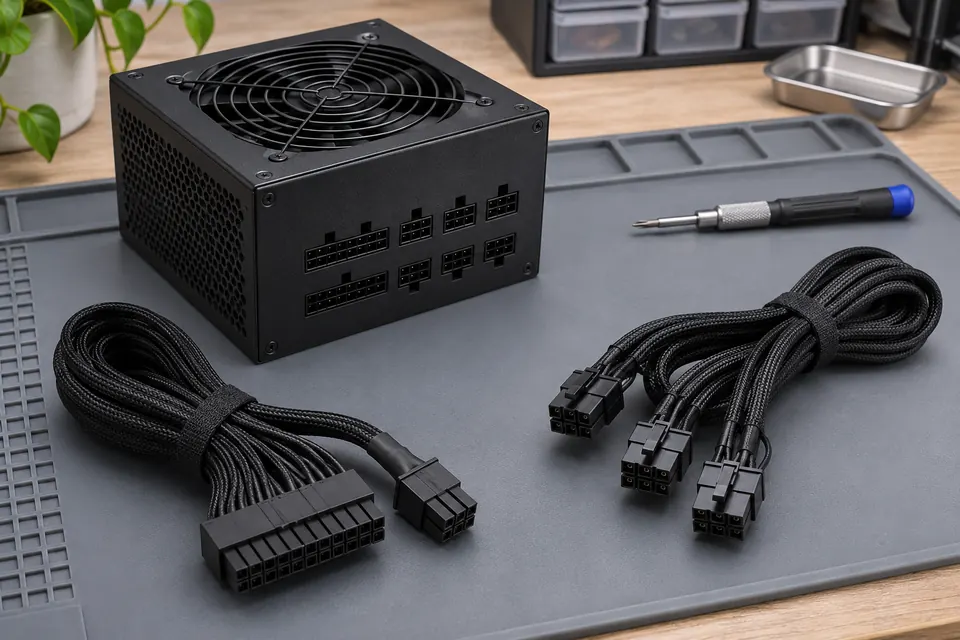
What this symptom can mean
A basic power-on or voltage check answers a narrower question than reliable operation in the actual computer. Workload, cabling and test duration matter. Some testers apply a small standalone load; inline equipment can observe a different operating condition. A pass is useful evidence, not a universal health certificate.
The PSU passes a short standalone test
That result does not reproduce the computer’s complete load changes or every connected power path.
Shutdown appears during a specific game or task
Preserve the trigger history. Power supply, power connections, cooling, graphics, motherboard and software paths may still require separation; the symptom alone does not choose the failed part.
Safe checks before service
- Write down the PSU model, approximate age, tester model and actual readings or error history.
- Record whether the PC loses all power, restarts or only loses display. These are different observations.
- List recent component or cable changes, including extensions and adapters.
- If the machine is stable enough for ordinary use, save work and arrange evaluation rather than deliberately provoking repeated abrupt shutdowns.
A PSU can retain hazardous energy. Do not bridge pins with improvised tools, open its housing, mix modular cables or leave a suspected faulty system stress-testing unattended.
What professional diagnosis should separate
- 01
Interpret the existing evidence
Mashfix can compare what the tester actually measured with the reported failure and examine external connector condition.
- 02
Separate likely paths
A controlled evaluation can compare suitable known-good power equipment, supported cabling and the workload timeline while considering cooling or other faults.
- 03
Define the repair recommendation
The quote should explain which result supports replacement or further diagnosis. A single successful run does not guarantee that an intermittent fault is resolved.
What a professional test report should explain
Ask whether the original symptom was reproduced, which conditions were observed and which alternatives remain untested. A normal result should be reported as normal under those conditions, rather than as proof that no fault exists.
For Dallas–Fort Worth gaming-PC service, bring the tower and the power-supply model information. Keep manufacturer warranty records available; the appropriate next step may be a warranty claim after a fault is supported by evidence. Do not assume that a new PSU is required only because the PC shut down, or that a passed tester eliminates it from consideration.
Abrupt power loss can interrupt file writes. Preserve important data while the PC is safe and stable; repeated shutdown reproduction is not a backup strategy.
Common questions
Answers before you approve a repair
Does a spinning PSU fan mean it is good?
No. Fan behavior varies, including supported zero-RPM modes. It does not test every electrical condition.
Is an inline test the same as a small standalone tester?
No. Test arrangements and loads differ. Identify the instrument and conditions before comparing results.
Need help in DFW? Compare the Dallas shop and Fort Worth shop at Suite 100, or review scheduled home and office visits. We confirm the service path, scope and timing before booking.
Product guidance and references
These technical resources explain the referenced behavior. Your device and situation still need their own assessment.